

Creating Features
Pro/ENGINEER is the most powerful and flexible modeling tool available. With Pro/ENGINEER Wildfire, we've uncovered these unmatched modeling capabilities for new users through the new, intuitive user interface. Also, by streamlining workflow we've added speed for experienced users. All in all, we're helping you work faster by letting you explore Pro/ENGINEER's advanced capabilities — easier than ever.
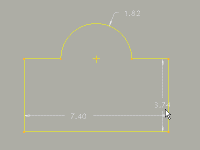 |
Sketching All modeling activities start in the same place — sketching. Learn how to access the enhanced sketcher, and see how sketches are used to make modeling features. |
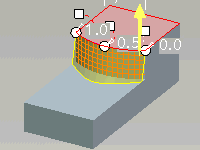 |
Feature Preview With all these feature options and the ability to dynamically change dimensions, how can you quickly see your changes to the feature? The answer: Feature Preview. Regardless of what changes you make, there's no question — what you see is what you get! |
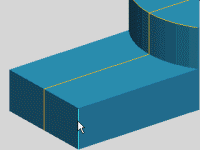 |
Direct Modeling Need speed? Using dynamic model manipulation and shortcut menus, your mouse travel is minimal. Thus you get immediate feedback through Feature Preview. With Direct Modeling, everything else in Pro/ENGINEER is out of your way. There's simply no faster way to model. |
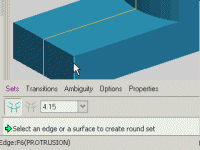 |
The Dashboard Are you new to Pro/ENGINEER, or unfamiliar with its features? The new Dashboard shows feature options that you can toggle and dimensions you can edit. If you want to explore or progress, simply open the slide panels and try it out. Follow the prompts and the Dashboard will lead the way… |
 |
Changes To The Features To create the modeling capabilities in the new Direct Modeling and Dashboard, PTC engineers consolidated and simplified many existing Pro/ENGINEER features — without losing any capabilities. As a result, 76 individual features were consolidated into 23! See how we did it, and how the new Warp feature fits in. |