Dashboard
Guiding You Every Step Of The WayAre you new to Pro/ENGINEER? Or creating a new and complicated feature? You've come to the right place. The Dashboard is specifically designed to guide you and show you the way...
| Dashboard Feature Access First, whether you use Direct Modeling or the Dashboard approach, the Sentence Rule is the key to creating features. Briefly, here's how it works. The structure of the sentence tells you which feature you should use and the necessary references. When using the Dashboard, you execute the action first and then select the references. |
||||
|

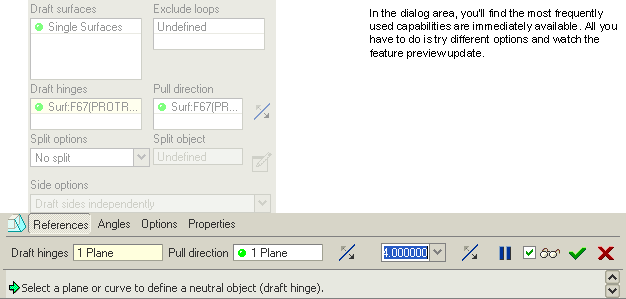
| Dashboard Anatomy With the Dashboard, the most common functionality you need is immediately available. And when you need more advanced capabilities, you'll find them quickly through slide panels. Otherwise, they're out of your way. Less-frequently used functionality is out of your way until needed. Also, the slide panels were designed to be easily explored for casual users. Just because you don't use the feature often doesn't mean it should be hard to explore. |
||
|
|
|
|
|
||