

Productivity Tools For Modeling
After listening to hundreds of experienced Pro/ENGINEER users representing every role in product development, we've worked hard to enhance Pro/ENGINEER Wildfire and give you the tools to make your job easier.
|
The Basics Before you get started creating new features and using the new tools, you'll need to learn the essentials. Here, you'll get the lowdown on changes to existing capabilities like selection and viewing controls, as well as new capabilities like the navigator pane and browsing your model and online information. |
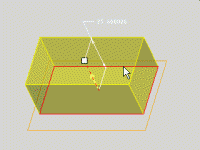 |
New Tools for Creating Features Ready for a completely new — and far easier — approach to modeling? We had two goals in mind when we enhanced model creation: Provide new users with intuitive learning tools (Solution: the Dashboard); and let experienced users model faster (Solution: Direct Modeling). Best of all, you can instantly switch between the Dashboard and Direct Modeling. Lastly, we created an impressive new feature — Warp. |
 |
New Tools for Managing Models In addition to a more intuitive user interface, Pro/ENGINEER Wildfire offers new tools to better manage your model: The View Manager allows you to control any state or representation; Partition Model manages zones, envelopes and cross sections; and a completely new Relations Manager dramatically improves the building of intelligence into your model. Modeling has never been easier! |