Spin, Turn, Pan, Zoom
Pro/ENGINEER Wildfire's new Viewing and Selection manipulations not only conform to familiar software standards, but they also can be executed using the middle mouse button and left mouse button, respectively.
Basic Viewing
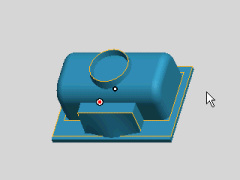
Simplest and fastest viewing: By default, the pointer defines the viewing point that you will use for spinning, turning, zooming and panning. You can also use the model center by clicking the colored jack.
|
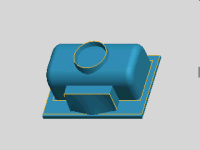 |
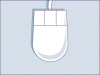
Spin the model by holding down the middle mouse button and moving the pointer.
Turn the model by moving your mouse from left to right while holding down the CTRL key and the middle mouse button.
Zooming takes advantage of the roll wheel, which pulls in the model or pushes it away. You can also zoom by moving your mouse up and down while holding down the CTRL key and middle mouse button.
Panning also complies with the new roll wheel standard by using the SHIFT key and the middle mouse button.
|
 |
|
Advanced Viewing
In addition to having new basic viewing capabilities, you now have an expanded set of viewing functions directly accessible through a right mouse button shortcut menu — another first in Pro/ENGINEER.
|
 |
The Delayed function lets you manipulate the view of the model using the same mechanisms described in Basic Viewing, except the result is delayed. This is helpful when working on larger models and assemblies.
Velocity allows you to dynamically change the view of the model through the same mechanisms described in Basic Viewing, except that holding the middle mouse button down controls velocity.
|
|

