Article - CS43839
How to customize material color in the setup appearance of Creo Parametric
Modified: 31-May-2021
Applies To
- Pro/ENGINEER and Creo Elements/Pro Wildfire to Wildfire 5.0
- Creo Parametric 1.0 to 8.0
Description
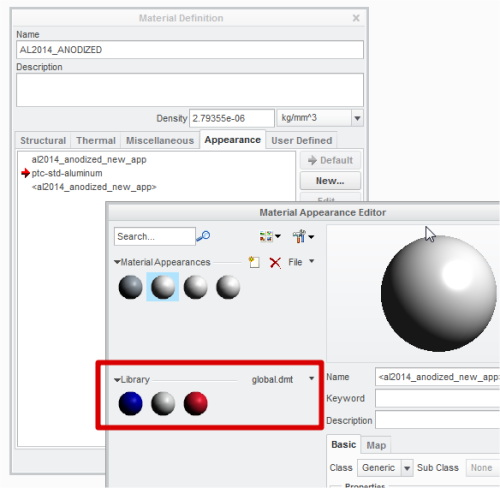
- How to edit the appearances of the Library in the Material Appearance Editor when assigning appearance to material
- How to customize material color in the material appearance setup
- The edited material appearance is not reflected in next session
- Custom colors assigned to material files are not displayed properly in the Material Appearance Editor.
This is a printer-friendly version of Article 43839 and may be out of date. For the latest version click CS43839