Article - CS25340
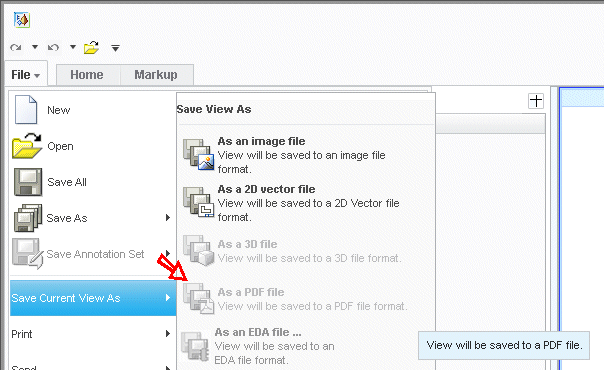
File > Save Current View As > As a PDF file option is not available for selection in Creo View
Modified: 23-Apr-2025
Applies To
- Creo View 1.0 to 11.0
Description
- Cannot "save as" file to a PDF
- The File > Save Current View As > As a PDF file menu is greyed out when using the Native Viewer
- The File > Save Current View As > As a PDF file option is not available for selection regardless of what representation or license is in use:
This is a printer-friendly version of Article 25340 and may be out of date. For the latest version click CS25340