Article - CS230945
The Windchill Cabinets or Workspace links in Common Folders do not work after downloading content in the embedded Creo Parametric or Windchill Workgroup Manager browsers in Windchill PDMLink 10.1
Modified: 02-Oct-2017
Applies To
- Creo Parametric 2.0 M130 to 4.0
- Windchill ProjectLink 10.1 M050 to 11.0
- Windchill PDMLink 10.1 M050 to 11.0
- Windchill PDM Essentials 10.1 M050 to 11.0
- Pro/INTRALINK 8.x + 10.1 M050 to 11.0
- Windchill Workgroup Manager
- Internet Explorer (only)
Description
- The Windchill Cabinets or Workspace buttons in Common Folders do not work after downloading content in the embedded browser (the action is not recognized and the browser page load progress indicator shows as loading)
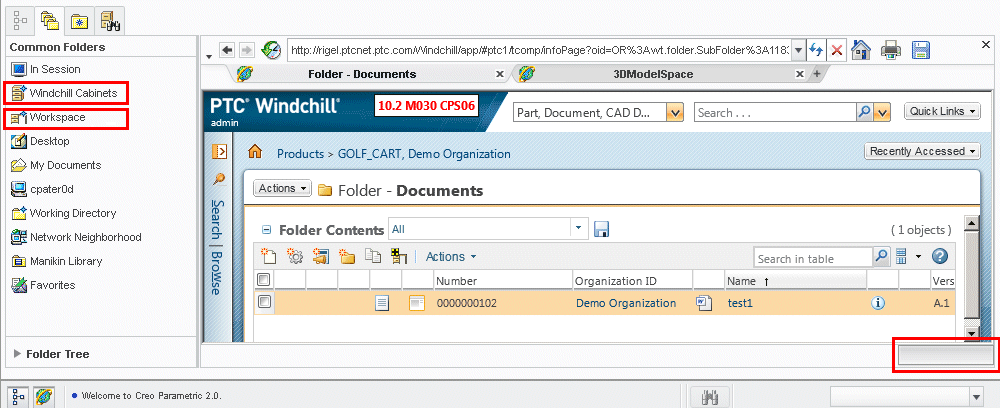
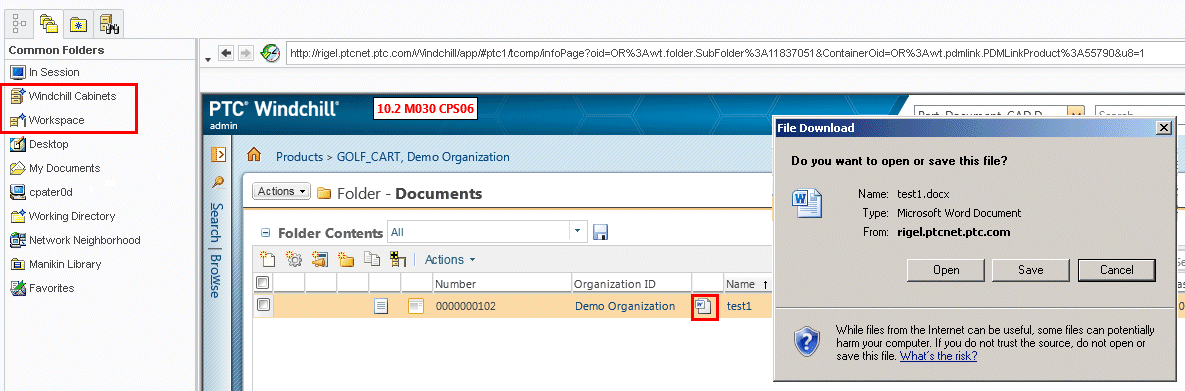
- Selecting a content download link (downloading a WTDocument ZIP, PDF, XLS, DOCX, PNG, TXT, JPG content, saving a representation content from Representations/Annotations, etc. causes the Workspace and Windchill Cabinets buttons in Common Folders from working:
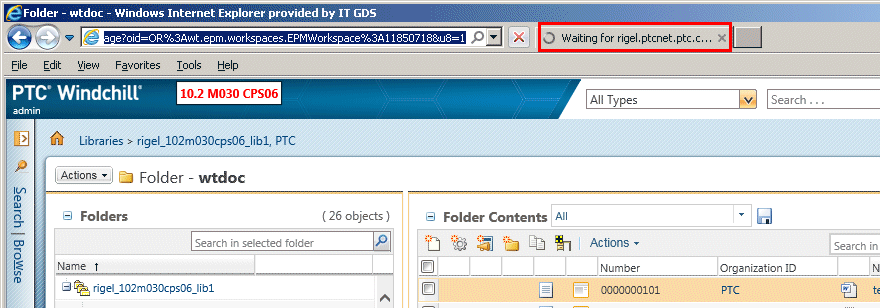
- Downloading a file in a standalone browser and then attempting to navigate to the Workspace by pasting the Workspace URL in the address bar does not work as the browser reports a "Waiting for <server>" message
This is a printer-friendly version of Article 230945 and may be out of date. For the latest version click CS230945