Article - CS59980
Designated parameters are not listed alphabetically when creating a part in Pro/ENGINEER, Creo Elements/Pro Wildfire 5.0 Creo Parametric 2.0 using template where the parameters are alphabetically listed
Modified: 08-Jan-2018
Applies To
- Pro/ENGINEER and Creo Elements/Pro Wildfire to Wildfire 5.0
- Creo Parametric 1.0 to 3.0
Description
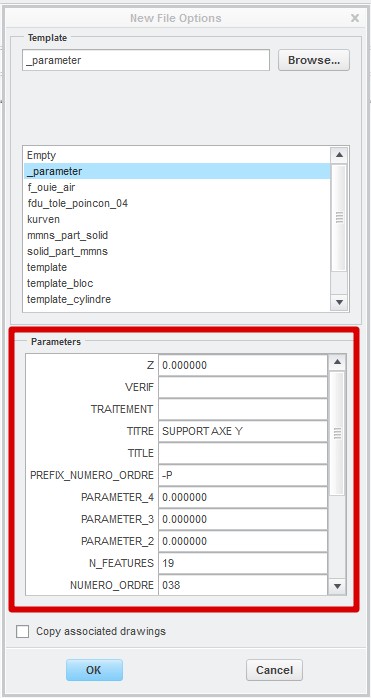
- Designated parameters are not listed alphabetically when creating a part using template where the parameters are alphabetically listed.
- How to reorder the parameter list in alphabetical order ?
- Template part, how to sort the parameters by ascendant order ?
- Is it possible to change the sort order of start-part parameters while creating a new part ?
- Designated parameters of start part shown in descending order while creating a new part.
- How to change the order of designated parameters of start part which is shown in descending order while creating a new part ?
- Is it possible to have the parameter list sorted in ascending order?
- Rearrange the parameter list displayed when creating a new part from a template.
This is a printer-friendly version of Article 59980 and may be out of date. For the latest version click CS59980