Article - CS3348
Attempting to save an assembly or drawing fails with a Circular Dependency message and that the upper level assembly must be copied in Windchill PDMLink
Modified: 23-Nov-2025
Applies To
- Windchill PDMLink 9.0 to 13.1
- Windchill ProjectLink 9.0 to 12.0
- Windchill PDM Essentials 10.1 to 11.0
- Pro/INTRALINK 8.x + 9.0 to 11.0
- Creo Parametric 4.0 to 11.0
Description
- When saving an assembly or drawing that contains copy geometry feature referring to an upper level assembly, a circular dependency message is received:
- Cannot copy documents from the above list of circular dependents because some of them have not been selected for copying. Mark either all or none of the documents for copying.
- When saving a dynamic document (Topic) that contains xref or contentref to refer other a dynamic document (Topic) , a circular dependency message is received:
- Cannot copy documents from the above list of circular dependents because some of them have not been selected for copying. Mark either all or none of the documents for copying.
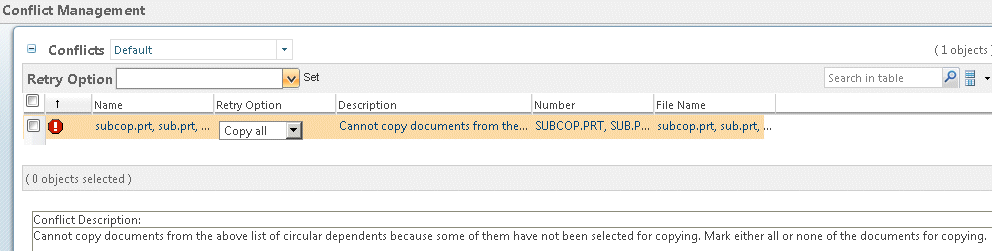
- How to disable the generation of error messages when duplicating objects with external references or circular dependencies?
- Selecting "Save None" results in no objects being copied
- In most cases, the only way to successfully perform the copy is to include the upper level assembly
- "Save As" action from non-latest assembly with no dependents and as stored configuration returns error:
- Data collection was aborted because the maximum limit of objects set by your administrator (60000) was reached. Try to work with a smaller set of objects, or contact your administrator.
This is a printer-friendly version of Article 3348 and may be out of date. For the latest version click CS3348