Article - CS328817
Windchill Workgroup Manager: Message popup while saving Autodesk Inventor 2021 Assembly containing frame or tube and pipe data
Modified: 10-Aug-2020
Applies To
- Windchill PDMLink 11.1 M020-CPS14
- Windchill ProjectLink 11.1 M020-CPS14
- Windchill Workgroup Manager 11.1 M020-CPS14
- Autodesk Inventor 2021
Description
- Saving Inventor Assembly containing frame or tube and pipe data results in popup message Problem encounter while saving the document
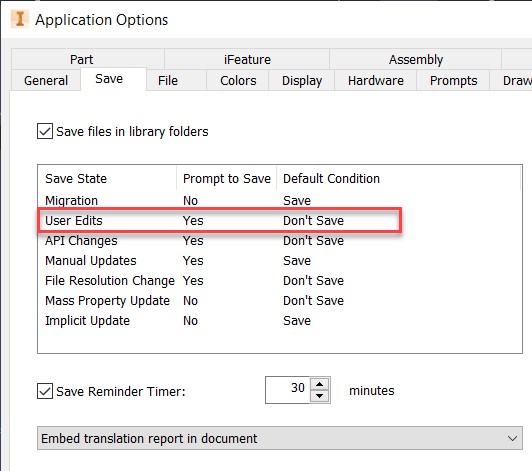
- Setting Inventor Specific Application Options > Save > User Edits with the default value of Don't Save may show popup message while saving Frame Assembly or Tubes and Pipes Assembly
- Saving Assembly results in following popup message :
Problem encountered while saving the documents. Save failes because the following files have been modified and must be saved together with 000001140.iam:000001141.iam,000001142.ipt

- After clicking OK to pop-up only top level assembly will be saved to workspace , user will need to click on Save icon to bring Save prompt dialog box and save the dependents
This is a printer-friendly version of Article 328817 and may be out of date. For the latest version click CS328817