Article - CS308551
The cognos page will throw error message when validating sql query in Windchill 11.1 M020 system.
Modified: 11-Jul-2019
Applies To
- Windchill PDMLink 10.0 to 11.2
Description
1. Use wcadmin log into Cognos page. Go to IBM Cognos page click Manage > Data Server Connection menu to create one data server connection as below. Click Test button and it can connect successfully.
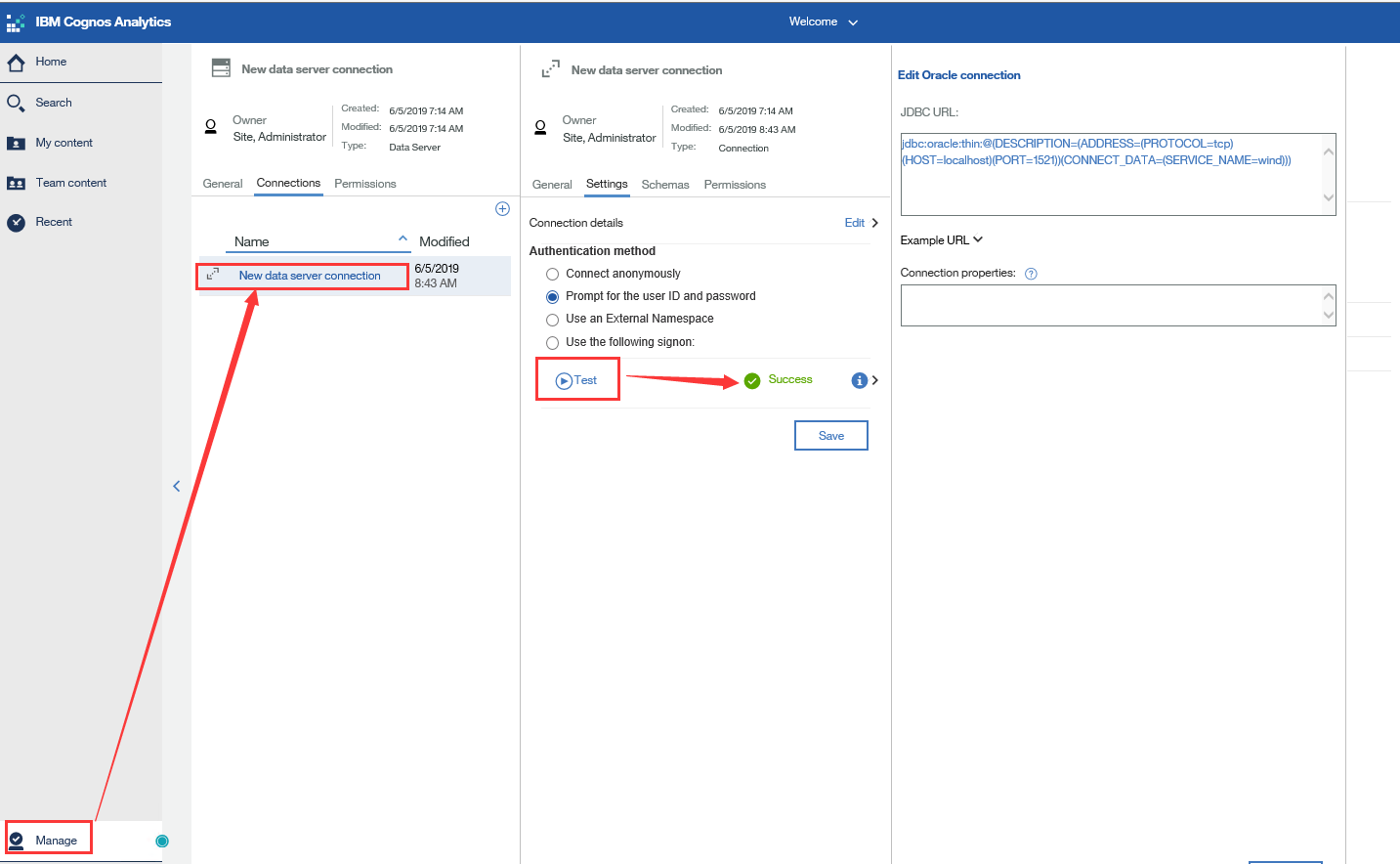
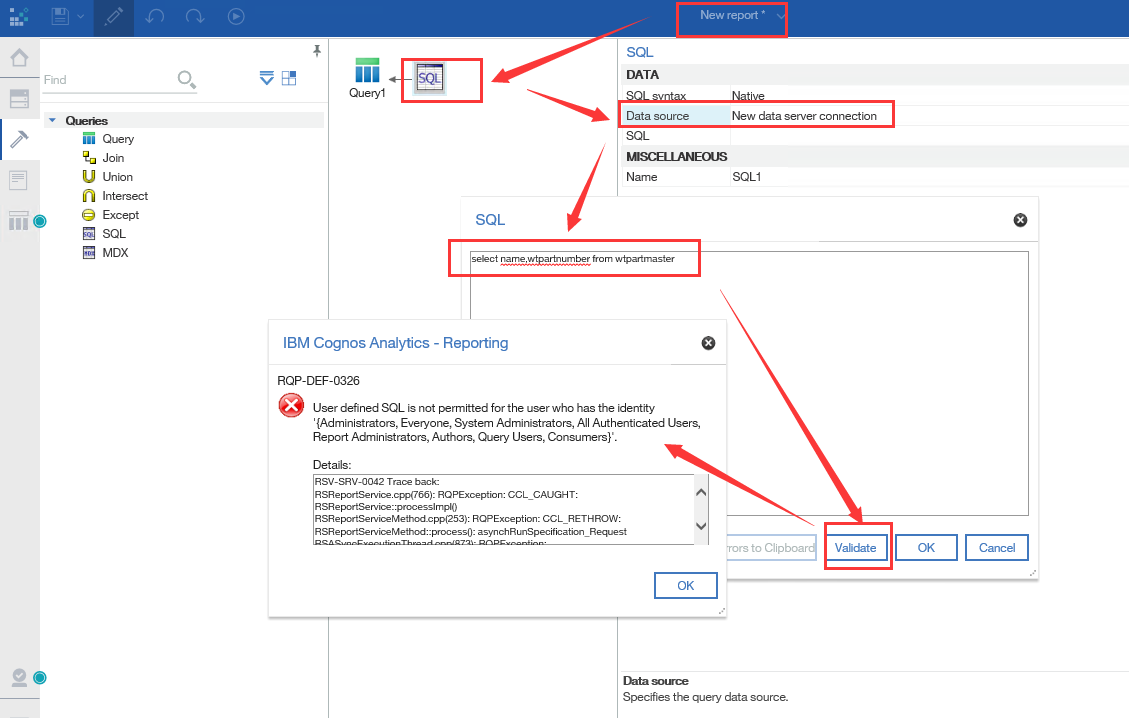
2. Use wcadmin log into Cognos page. Go to IBM Cognos page to new a report. Go to Tool menu to drag SQL icon to create one sql query. Select New data server connection as Data Source. Write select name, wtpartnumber from wtpartmaster into the SQL field. Click Validate button and it will throw error message.
RQP-DEF-0326
User defined SQL is not permitted for the user who has the identity '{Administrators, Everyone, System Administrators, All Authenticated Users, Report Administrators, Authors, Query Users, Consumers}'.
This is a printer-friendly version of Article 308551 and may be out of date. For the latest version click CS308551