Article - CS304443
Creo View : "Copy EPMDocument to Windchill Clipboard" and "Windchill EPMDocument Details" Context Menu commands do not actually copy the object
Modified: 22-Oct-2019
Applies To
- Creo View 5.0 F000 to 6.0
- Windchill PDMLink 11.0 to 11.2
- Microsoft Internet Explorer 11
- Microsoft Windows 10 version 1809:
- Affects the following Microsoft Windows updates :
Description
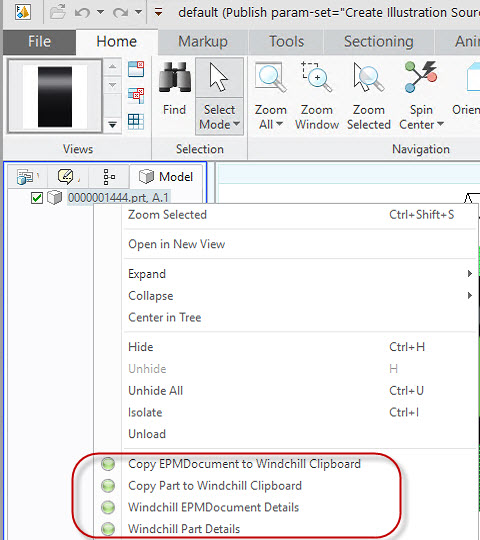
- The Copy EPMDocument to Windchill Clipboard and Copy Part to Windchill Clipboard right-mouse Tree Structure Context Menu commands do not work
- The X Object(s) Copied to Clipboard message is displayed in the browser but the Windchill Clipboard remains empty
- The Windchill EPMDocument Details and Windchill Part Details commands also fail to launch the respective object's Information Page / Details tab
- Instead it navigates to the browser cache folder, e.g. <user_profile>\AppData\Local\Microsoft\Windows\INetCache\IE\YYDO3CIV\edrwcprops[1].jsp :
- Instead it navigates to the browser cache folder, e.g. <user_profile>\AppData\Local\Microsoft\Windows\INetCache\IE\YYDO3CIV\edrwcprops[1].jsp :
This is a printer-friendly version of Article 304443 and may be out of date. For the latest version click CS304443