Article - CS23271
How to enable or disable action "Select Revision Label" for "Revise" wizard in Windchill
Modified: 10-Jun-2026
Applies To
- Windchill PDMLink 9.1 to 13.0
- Windchill ProjectLink 9.1 to 12.1
- Windchill PDM Essentials 10.1 to 12.0
- Pro/INTRALINK 8.x + 9.1 to 12.1
Description
- "Select Revision Label" or "Select Revision" action is not available or is grayed out in the Revise wizard
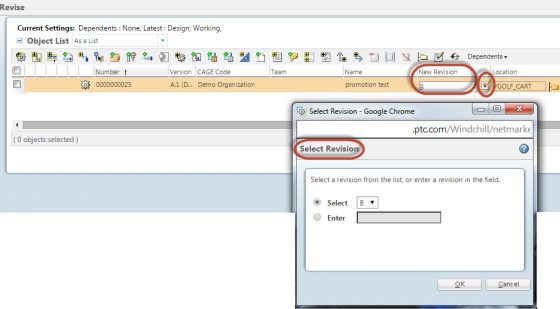
- Unable to manually specify a new revision when revising an object; the New Revision field is grayed out or non-editable
- Need to enable or disable the ability to revise parts across versions
- Want to allow users to jump several revisions ahead for a new CAD document in workspace
- "Select Revision Label" action is disabled in Actions > Revise
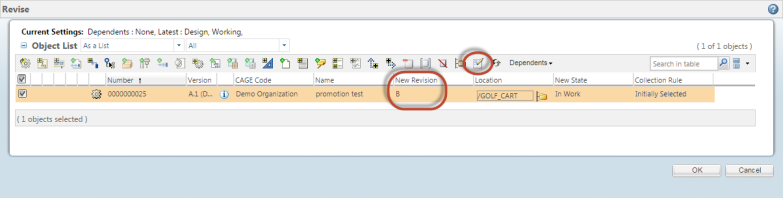
- New Revision field becomes editable in Revise wizard when Select Revision option is enabled
- Select Revision option becomes grayed out after selecting the object
- How to configure the Revise wizard to allow or prevent manual revision label selection
This is a printer-friendly version of Article 23271 and may be out of date. For the latest version click CS23271