Article - CS22777
How to allow users without administrative access to change their own passwords in Windchill PDMLink
Modified: 31-Oct-2025
Applies To
- Windchill PDMLink 8.0 to 12.0
- FlexPLM 9.2 to 10.2
- Windchill PDMLink 9.1 to 13.0
Description
- User's can not change their own passwords
- Non-site administrator users cannot change their password through the user interface
- "
No actions to display" is shown instead of "Edit Password" in the Actions menu - This issue occurs when navigating to
Quick Links > My settings > Profiler - How to allow users without administrative access to change their own passwords?
- Is there any way to restrict users which are part of groups Site or Organization Administrators, to change the password only and no other details when using Quick Links > My Settings > Profile > Click on Actions > Edit
- Non-Administrative Users will see the following options however no option to "Edit Password"

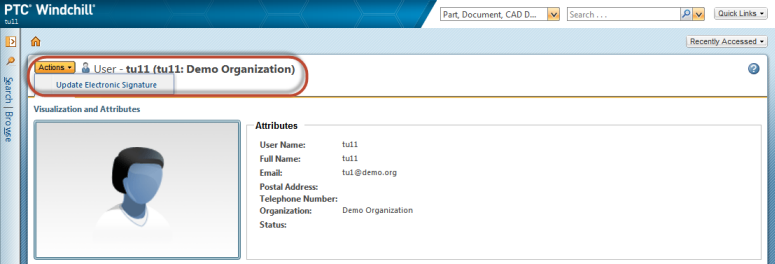
- Users which are part of either Organization Administrators or Site Administrators group will see the following options:


- FlexPLM throws the following error if clicked on Change Password option under Quick Links > User Preferences > Expand Modify Password

- Screenshot of release Windchill 9.1:

This is a printer-friendly version of Article 22777 and may be out of date. For the latest version click CS22777