Article - CS211279
Configuring Windchill DS as a Windows service failed with error "Error code: 3 "in Windchill PDMLink
Modified: 08-Aug-2022
Applies To
- Windchill PDMLink 10.2 to 12.0
Description
- Configuring WindchillDS as a Windows service failed with Error code: 3
- Enabling windows service for Windchill DS or Windchill Directory Server fails
- Unable to setup WindchillDS as a Windows Service
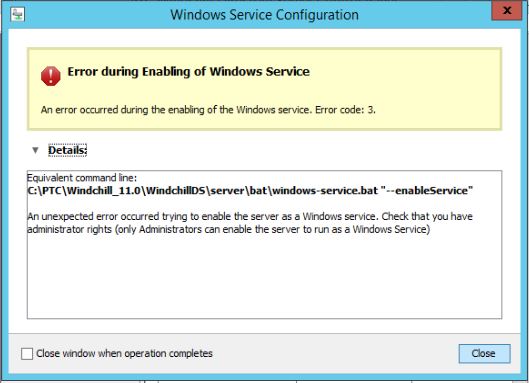
Error during Enabling of Windows Service
An error occurred during the enabling of the Windows service. Error code: 3.
Equivalent command line:
C:\ptc\Windchill_11.0\WindchillDS\server\bat\windows-service.bat "--enableService"
An unexpected error occurred trying to enable the server as a Windows service. Check that you have administrator rights (only Administrators can enable the server to run as a Windows Service)
An error occurred during the enabling of the Windows service. Error code: 3.
Equivalent command line:
C:\ptc\Windchill_11.0\WindchillDS\server\bat\windows-service.bat "--enableService"
An unexpected error occurred trying to enable the server as a Windows service. Check that you have administrator rights (only Administrators can enable the server to run as a Windows Service)
This is a printer-friendly version of Article 211279 and may be out of date. For the latest version click CS211279