Article - CS190526
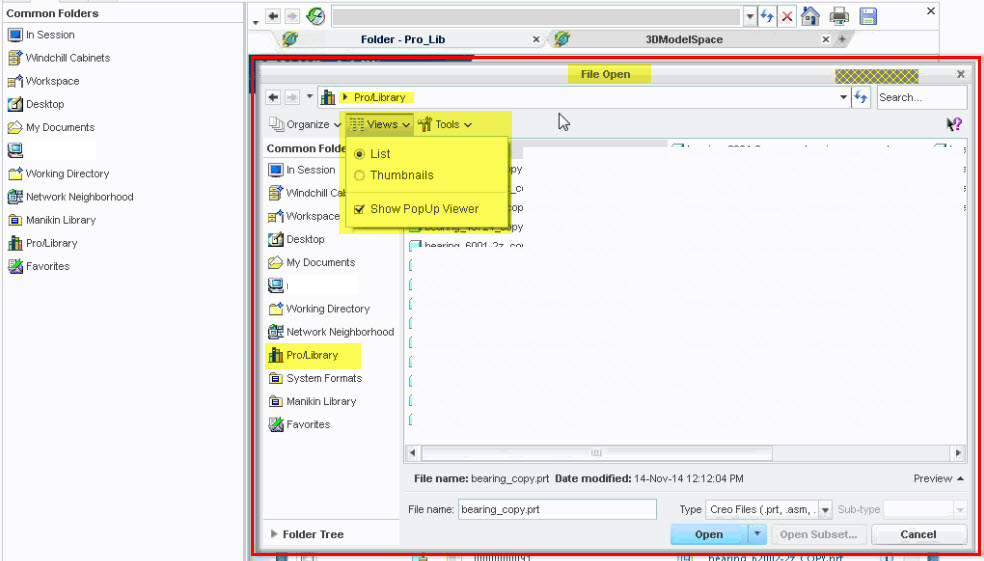
File > Open > Views (drop-dpown) in Creo Parametric (connected to Windchill PDMLink) does not show customized views for Pro/Library
Modified: 09-Jan-2024
Applies To
- Windchill PDMLink 9.1 to 12.1
- Creo Parametric 1.0 to 10.0
Description
- File > Open > Views (drop-dpown) in Creo Parametric (connected to Windchill PDMLink) does not show customized views for Pro/Library
- When Pro/Library is pointing to a Windchill location (i.e., the config.pro option pro_library_dir is set to a Windchill folder), File > Open from Creo does not list any custom views from Windchill
- When navigating through to the corresponding Library folder (set for pro_library_dir) via Windchill Cabinets, all the Windchill custom views are available in File > Open > Views (drop-down):

This is a printer-friendly version of Article 190526 and may be out of date. For the latest version click CS190526