Article - CS17218
"Failed to send message to CadAgent" appears when accessing the "Worker Agent Administration UI" on cluster servers in Windchill PDMLink
Modified: 09-Dec-2025
Applies To
- Windchill PDMLink 9.1 to 13.0
- Creo View Adapters 7.0 to 12.0
Description
- When accessing the Worker Agent Administration page in a Windchill Clustered environment, the following error is received
Failed to send message to CadAgent
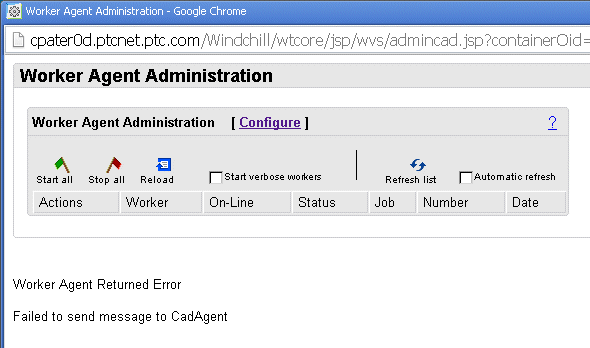
- How to configure Publish Workers in a cluster environment?
- In cluster environment the Workers are not listed in the Worker Agent Administrator even after configuration
- Worker configuration wizard does not show the list of available workers
- Worker Agent Administration page throws error:
Exception: java.lang.NoClassDefFoundError: Could not initialize class com.ptc.wvs.common.cadagent.CadProxy- How to configure visualization publish job transmission in cluster environment?
- How to config agent.ini for visualization in a cluster environment
- Fail to start APE worker agent after upgrading Windchill in cluster environment
This is a printer-friendly version of Article 17218 and may be out of date. For the latest version click CS17218