Article - CS145606
How to run ModelCHECK in a batch mode in Creo Parametric
Modified: 03-Jun-2026
Applies To
- Pro/ENGINEER and Creo Elements/Pro Wildfire 4.0 to Wildfire 5.0
- Creo Parametric 1.0 to 12.4
Description
- How to run ModelCHECK.bat in a batch mode
- Step to run ModelCHECK in batch mode
- What are the steps to run ModelCHECK in no graphics mode
- Unable to run ModelCHECK batch mode
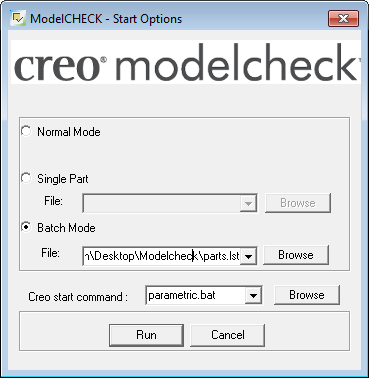
- Fail to launch ModelCHECK with batch mode, the error "ERROR: Cannot retrieve ######" in mc_err.log file
- How to streamline ModelCHECK validation in Creo Parametric 12 for large numbers of new files.
This is a printer-friendly version of Article 145606 and may be out of date. For the latest version click CS145606