Article - CS138537
When hidden attributes are used in a Layouts are displayed incorrectly in Windchill PDMLink 10.x
Modified: 08-Aug-2013
Applies To
Windchill PDMLink 10.x All date codesDescription
- When hidden attributes are used in a Layouts are displayed incorrectly
- For grid layouts, position of label & value of the hidden attribute should be left empty(whitespace)
1) Login to the Windchill as Site Administrator.
2) Navigate to the Site > Utilities >Type and attribute manager
3) Create a new soft type for WTPart
4) Create soft attribute by navigating to Attribute tab > New Attribute wizard
5) Make the Attribute hidden for the specific screen type through Visibility tab
Following are the layouts in which attributes are made hidden:
Edit, Info Page-Full Attribute list, Info page- Primary Attributes
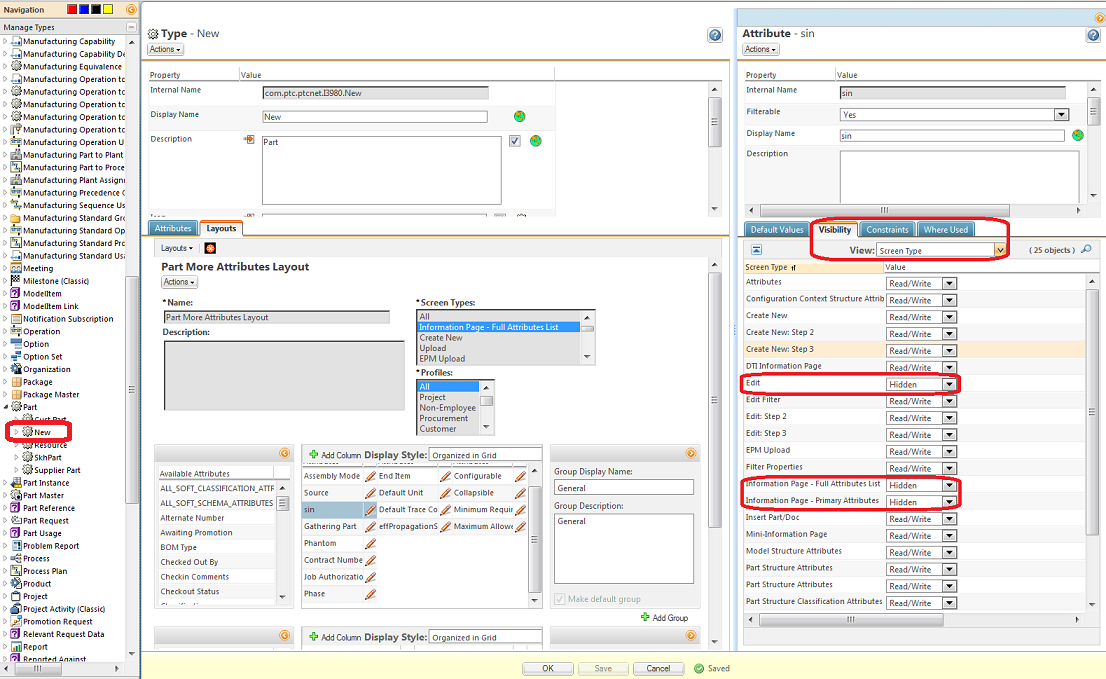
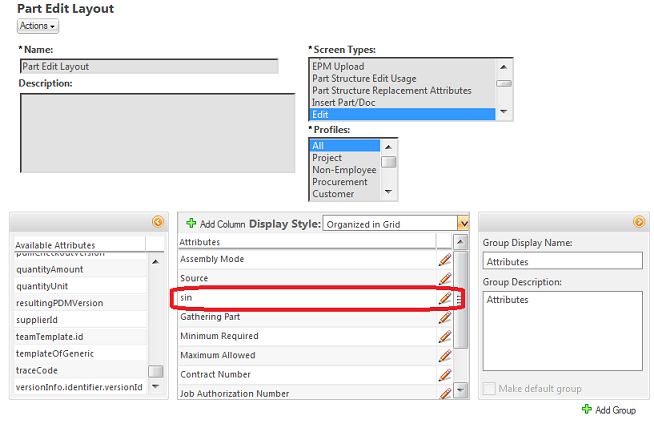
Add the Attribute to the respective layouts and see the results on the screen types.
For instance in Edit Screen:
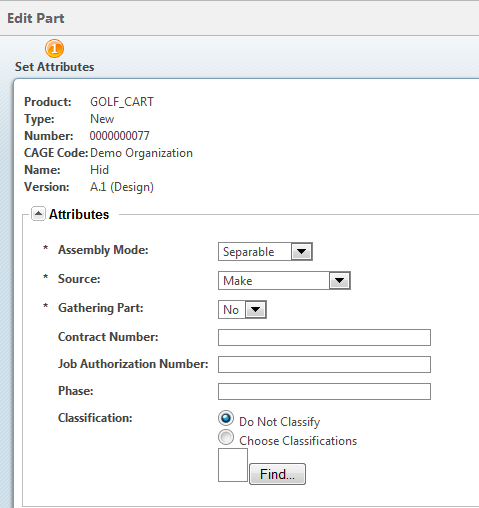
Result on Edit User Interface:
Attribute is hidden here, but the rest of the attributes are moved upward to take position of hidden attribute
This is a printer-friendly version of Article 138537 and may be out of date. For the latest version click CS138537