Article - CS116529
Internet Explorer throws error "Unsupported browser mode detected" when accessing Windchill Solutions
Modified: 19-Apr-2023
Applies To
- Creo Parametric 3.0 to 8.0
- Windchill PDMLink 10.0 to 12.0
Description
- New Pop-up window from IE embedded browser does not display all content
- Cannot open Process Manager
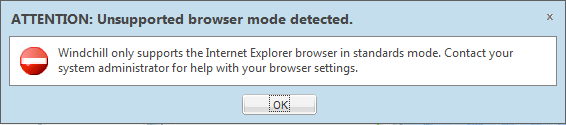
- Internet Explorer throws error Unsupported browser mode detected :
Windchill only supports the Internet Explorer browser in standards mode. Contact your system administrator for help with your browser settings.
- Errors in MethodServer log indicate Internet Explorer 9 is identifying itself as Internet Explorer 7:
userid;XXX.XX.XXX.XX;Mozilla/4.0 (compatible; MSIE 7.0; Windows NT 6.1; WOW64; Trident/5.0; SLCC2; .NET CLR 2.0.50727; .NET CLR 3.5.30729; .NET CLR 3.0.30729; Media Center PC 6.0; .NET4.0C; .NET4.0E; InfoPath.1; MS-RTC LM 8)
- With Creo8.0.5.0, when visiting Windchill inside, it will pop up a warning: Unsupported browser mode detected. windows browser type = ie browser With the same setting
This is a printer-friendly version of Article 116529 and may be out of date. For the latest version click CS116529