Article - CS111082
Is it possible to remove or hide Windchill Menu commands like "Revise and Check-Out" in the CAD tools integrated with the Windchill Workgroup Manager
Modified: 26-Jan-2026
Applies To
- Windchill PDMLink 9.0 to 13.1
- Windchill Workgroup Manager
- Solidworks
- NX (Unigraghics)
- Autodesk Inventor
- CATIA V5
- CATIA 3DEXPERIENCE
- AutoCAD
- Creo Elements/Direct Drafting
- Creo Elements/Direct Modeling
Description
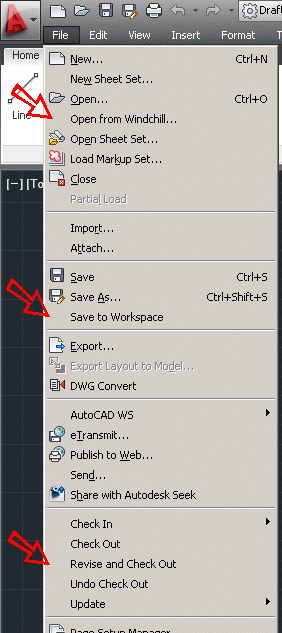
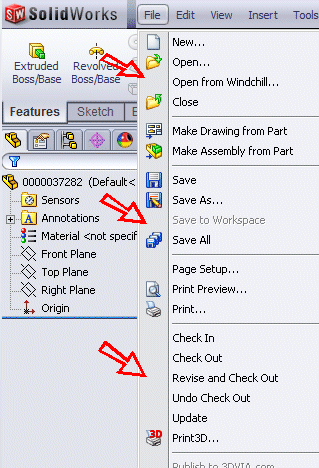
- Is it possible to gray out options added to CAD application by integrating with WGM or WWGM (Windchill Workgroup Manager)?
- Is there a way to customize menu options added to CAD application by integrating with Workgroup Manager
- When running a CAD application (AutoCAD, Catia, Inventor, Solidworks, NX, etc,) that is integrated with Windchill, is it possible to remove or hide Windchill Menu commands like Revise or Revise and Check-Out?
- Is it possible to remove the Revise and Check Out option from the Conflicts window when saving CAD models that are not checked out to the workspace?
This is a printer-friendly version of Article 111082 and may be out of date. For the latest version click CS111082