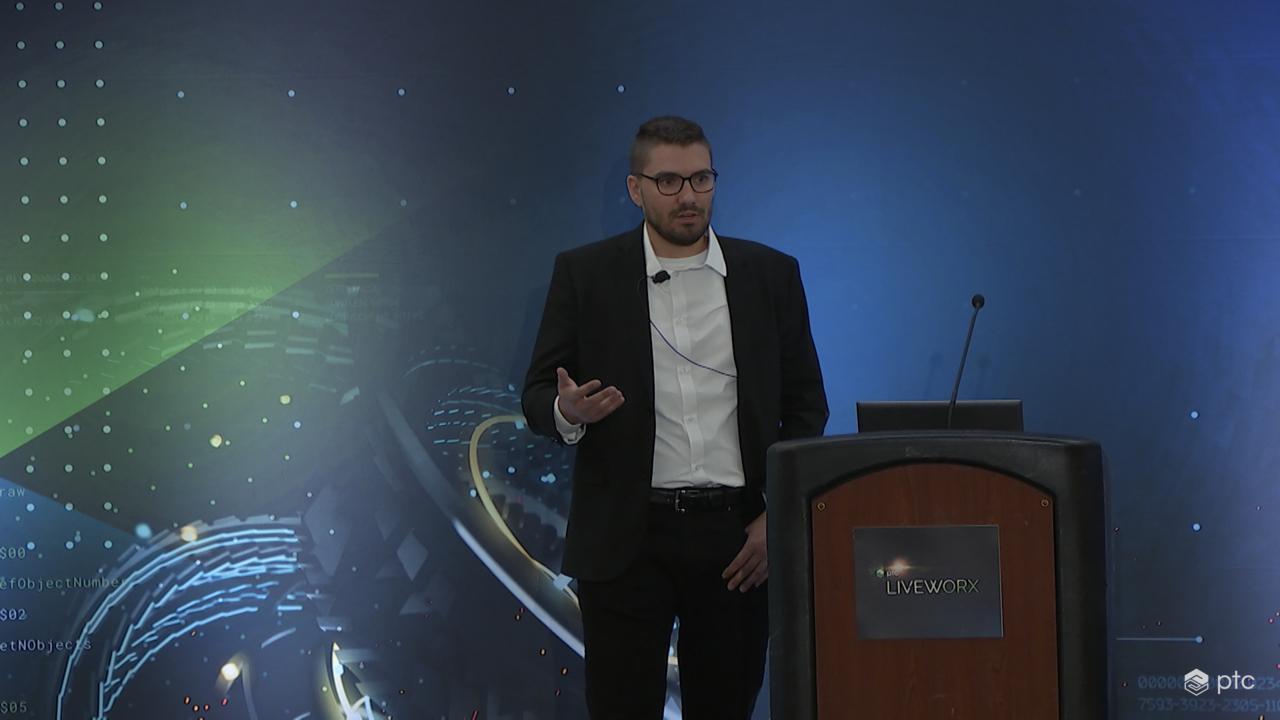
Rethinking Operations and Training at Schaeffler With AR
Download the slides here.
00:00 My name is Tobias Clare and I present to you the topic Rethinking Operations and Training at Scheffler with Augmented Reality. Before I tell you a little bit more about myself, I want to give you a short overview. So in the next 15 minutes I present to you the use case we have at Scheffler. As you already know, my name is Tobias Clare. I'm 26 years old from Bavaria in Germany, and I started at Scheffler in 2015 with a dual studies and then added and do
00:32 a master's degree afterwards, also in mechatronics. And in 2020 I took over the application ownership for the whole augmented reality and virtual reality topic in R&D. So especially the warrior toolchain. As you may already have seen, the next slide, this is coming from the yesterday's presentation from Rainer and Helmut Ruprecht. So I want to give you a short overview of what we are doing at Scheffler.
01:03 So the main goal for Scheffler is to make augmented reality available for everyone in the company and therefore we are have the strategy that we started with the training and documentation area and therefore we use the PTC toolchain. So you can see that the center of the slide. So we are using mainly expert capture and also Creo. And right now we are also elaborating on Vuforia studio and the ThingWorx part.
01:34 So there are current issue we are tackling with is the design review topics. Today I will talk more about the trainings area which we already solved. So the tools we are already have in place is the expert capture and QR. And as you can see on the right side, we already have identified some benefits of using the expert capture. So especially the software as a service area is really beneficial also for me as
02:05 the administrator of all the tools so that I don't have to think about updating the service and everything, what is behind of that? And also we had achieved cost reduction in regards. So the onboarding process was faster and also travel time could be reduced as well as new way of learnings could be established as well as the collaboration has definitively improved over the time. Before we start with the use case, I want to give you a rephrase of the definition.
02:35 So as most of you, all of you know, the augmented reality and virtual reality, so and AR is, in my opinion, still one of the big technology trends, even so, that it may be a little bit moved to the background of artificial intelligence. But I think even if you combine artificial intelligence and AR, you get a lot of more and out of the whole solution or the two technologies. And if we can summarize it, so R is more like the use of real world objects
03:13 or real world information combined with physical or digital information. And then you have the virtual reality where you have a complete immersed solution, so you have an own virtual or cyber physical environment. So in both technologies we are using for the training area, for example, for set of machines, remote assist, as well as the document or digitalization of documentations. And you can summarize it. So VR is mostly used for preliminary training.
03:46 So when a machine is not yet set up or not yet available, we are using VR when the machine is already in place, we are switching to AR so that we can train the person on site with AR and therefore we can then also benefit from using the real time information here. Before I go into the details, I want to give you a short overview of what we expert capture. So many maybe already have seen it in the booth down below. So therefore we started with a capturing process.
04:20 So we taking pictures, we are taking videos and this are all combined into steps together with the location information, which is really important for us. Afterwards when the capturing was done. We are moving all of that information to the editor and edit everything in the editor. So we have our part structure there. We have our step list most of the time. We also have like a script up front so that we know what we want to capture and then we can transfer the information even faster to
04:52 a digital documentation afterwards. We have a distribution list defined for each group. Or each department so that we can share the content with the respective users who should get access to the procedure. And therefore we have a defined yeah, step definition. So when we have to use pass and fail when to use classification and also a confirmation most of the time for trainings we use confirmation
05:25 for exchange of parts or also if we want to document oil leakage or oil exchanges, then we use the pass and fail command. And then this data capturing could be then also analyzed afterwards in real time so that we can use this information and especially also the comment function within Vuforia to improve our whole training concept here. And this, as I mentioned before, is all implemented into in a SaaS platform,
05:58 which makes it easy for me to maintain all of the software so that I can focus on integrated into our business units and don't have to have a look onto the hardware or have to get service running in up to date. So the use case we have right now is shown on this slide. So here we have the old way. So Shefler is a company which has plants all over the over the world and we are constructing test rigs or special machineries, for example,
06:31 in China, USA or also Germany. And then we have to relocate them to different plants for better use of the resources there. And normally paper based documentation was done here. And this information, together with a group of people, was then traveling to the plant where the machine has to or moves. And therefore we already encountered some issues during the whole process
07:02 because it's a high planning effort to plan the whole trip as well as most of the time the documentation is limited to images as well as it has a low usage. So most of the time the paper based documentation was not used and most of the time it's more like a P to P, so person to person training. So we are introducing new users most of the time by flying or a group of person traveling to another country and train the person there. And that is not really efficient.
07:34 So we have a high human resource consumption as well as a high CO2 footprint if doing it that way. Even so, what I mentioned also on this slide is the document or paper based documentation can be easily created. So this was also a requirement. When we want to switch to a digitalized solution, it must be that easy, like creating a PowerPoint or a PDF for for this documentation. And what we did is we did exactly that by using expert capture.
08:05 So we have had or we were able to implement time savings because the frontline worker was able to set up the HoloLens and directly capture his step by steps, what he is doing at his daily work, document everything. And also the introduction to this new technology was quite easy. So I normally only need half an hour to train our frontline workers in using
08:37 the HoloLens, and then it needs another like maybe ten minutes, if not more, to train them in the use of expert capture. So it's quite fast process and therefore we also get a more wealth of information in our creation process because then we have pictures, we have videos and we have also location informations. And besides of that also it's an easier capturing and creation. So this persists. So we were we had previously the requirement that we have
09:10 an easy way of creating a new or a documentation. And this persisted also with for expert capture and what is also a great result out of it. We have fewer tool changes. So now we can all do our step by step instruction in a in one solution. And we don't have to switch between the documentations on the receiving side. So also for the persons who are get trained on the process,
09:40 it's an easy and faster onboarding as well as it's higher quality of training. So most of the time when they just read through the documentation, they don't remember it so much. So it's more or better like we did it before. So like training person to person or. More like gamification with using the HoloLens and they directly see, okay, what am I doing here? And also what was the benefit out of it is
10:11 the reduction of travel costs and also that we get a scalable solution so that we can roll out globally for our Scheffler company. And the urge why we did all of it was or it ramped up during the Corona pandemic. So we were not allowed to travel, as everyone knows, and therefore our missions, but had still to move to other plants and therefore we still had the requirement to train the persons there and now it still persists. So we saw the benefit during the Corona pandemic
10:44 and now we stick to this procedure here to improve our. Step by step instruction or also our documentation. And the department, which is mainly responsible for that is our validation mechanical products, industrial in Schweinfurt. And they also made a mapping between the functional role and also the tool role. We have an expert capture, so our skilled workers is normally linked to our viewer.
11:16 Then our specialists are normally editors and the specialists who are key users and most of the time managers in combination with the original manager. They also get the manager role there. And then we have an process or an integrated solution in our expert capture that we can define specific managers who should release or have a last say. Should this process be released or should this not be released,
11:46 and how all of this looks like are brought to you a video. And there you can see it's from an older version from Vuforia or vintage. You may know. So but it still shows what we are doing here. So we have a wheel bearing and we have scanned the QR code and now you can see that we have attached to it the location where the user has to perform his tasks. Then the users know, okay, where do I have to go?
12:17 And they directly see, okay, what do I have to do? So on the left side it's now in German. Sorry for that. You see the textual descriptions of what the user has to do and on the right side you see in that case a picture. We also in that in that example, we only use pictures, but we also extend it with videos. So we are now use a combination of videos and pictures. And here you can also see they used also some highlighting in a in
12:48 a just photo editor to highlight the screws so that they know directly what they have to do here. So in that case, they have to remove the screws from the upper part of the wheel bearing. And when this is done, you can see another location which we implemented in here, for example, in that case is to move it to another location. This is just, for example, purposes. In that case, to show especially that we are able to define specific location.
13:19 If you are familiar with the five fives, then you know also that they are normally defined position for every part. And also in here we want to show that that this is possible, that we can use this defined locations. And now what is the last task? What is shown in here in this short video is that he has to remove the upper part from the wheel bearing and place it right next to his documentation or on his desk.
13:50 So that's the video. And. What I had showed you right now is one glimpse of an broader spectrum of what we are doing at Scheffler. So you can see on the top right, we have now seen the step by step instructions. And besides of that, we are also doing like remote assist. So work life support. We are doing the CAD data visualization with the help of QR and also
14:21 the preliminary employee training with an own developed virtual creator and virtual trainer based on unity. And now we are elaborating on the remote design review topics so that we are going more into the R&D area where I am or where I'm located at. And therefore we had a proof of concept last year with Vuforia studio. And my last slide, what I want to show you here is key for success is network,
14:53 especially in a company like Scheffler. So we have a global network implemented into our internal network to show everyone what is extended reality and also give an update about latest research, latest news, and also an easy access for everyone who is interested in the topic to get to know where he gets a new HoloLens, where he gets a new HTC Vive Pro or also where he gets the application he's interested in. So also a short summary of each application we have
15:25 and then they can easily order it. Thank you very much.