Vuforia’s Step Check: Improving Quality with AI-Enhanced Visual Inspection
00:18 Welcome to product Innovations where we share the latest updates to PTC technology solutions. Hello and welcome to today's episode in the product innovation series step check, improving quality with A I enhanced visual inspection. My name is Ryan Orwell and I'm the vice president of Euphoria Product Management here at P T C. Today, I'll be talking about one of our newest capabilities step check which is a brand new euphoria feature and how it can greatly improve
00:49 quality inspection by using artificial intelligence. Let's jump in first, let's go over the reasons. We've developed step check, then I'll walk you through a hands on demo. We at PDC understand that manufacturers are feeling the pressure from macro economic changes. A retiring workforce paired with a growing manufacturing skills gap in the US could result in 2.1 million unfilled jobs by 2030 products and processes are becoming increasingly complex as the industry
01:24 advances resulting in more time, more resources and more skills needed to produce quality products. Customer expectations are also evolving. There's a demand for better experiences, faster production and of course higher quality with many customers expecting zero defects from their manufacturers and part suppliers. In fact, when choosing a manufacturing supplier, product quality is a top priority for customers
01:55 to help combat these challenges. Manufacturers need optimized processes and of course a robust and highly equipped front line workforce. Unfortunately, a Forrester study found that only 23% of front line workers say they have access to the technology, they need to be productive. This number isn't too surprising when many manufacturers are still using paper based methods. And this is especially true during inspections,
02:26 paper instructions lack context comparison and confirmation. All of this leads to poor quality, delayed production times and increased costs. Fortunately, P T C is dedicated to helping manufacturers bridge the skills gap and enable frontline workers to make sure they can meet the high expectations of your customers. Euphoria Enterprise Augmented Reality Solutions equip front line workers with step by step work
02:57 instructions, visual training guides and remote assistance to increase operational performance, reduce errors and improve workforce efficiency. As I mentioned before, quality is critical and making sure your front line workers have the tools they need to perform accurate inspections is essential to meeting your customers expectations. Today workers must inspect parts and products with the naked eye throughout their entire shift, making decisions about pass or fail in
03:28 seconds with only traditional documentation guiding them. This is a very challenging job but a crucial one without the right technology. It's no surprise that mistakes happen, costly mistakes that lead to rework and disappointed customers to make inspections more efficient and improve accuracy. We've developed step check. Ptc's visual inspection solution powered by artificial intelligence and our computer vision technology.
03:58 Step check makes inspections more efficient by guiding workers through the process. With visual feedback A I technology is trained to recognize proper assembly or damaged parts and clear augmented reality visuals let workers know if a part passes or fails, which makes inspections easier than ever before. Unlike traditional static inspection systems, step check integrates quality assessments with A R work instructions and automatically documents the inspection results which can
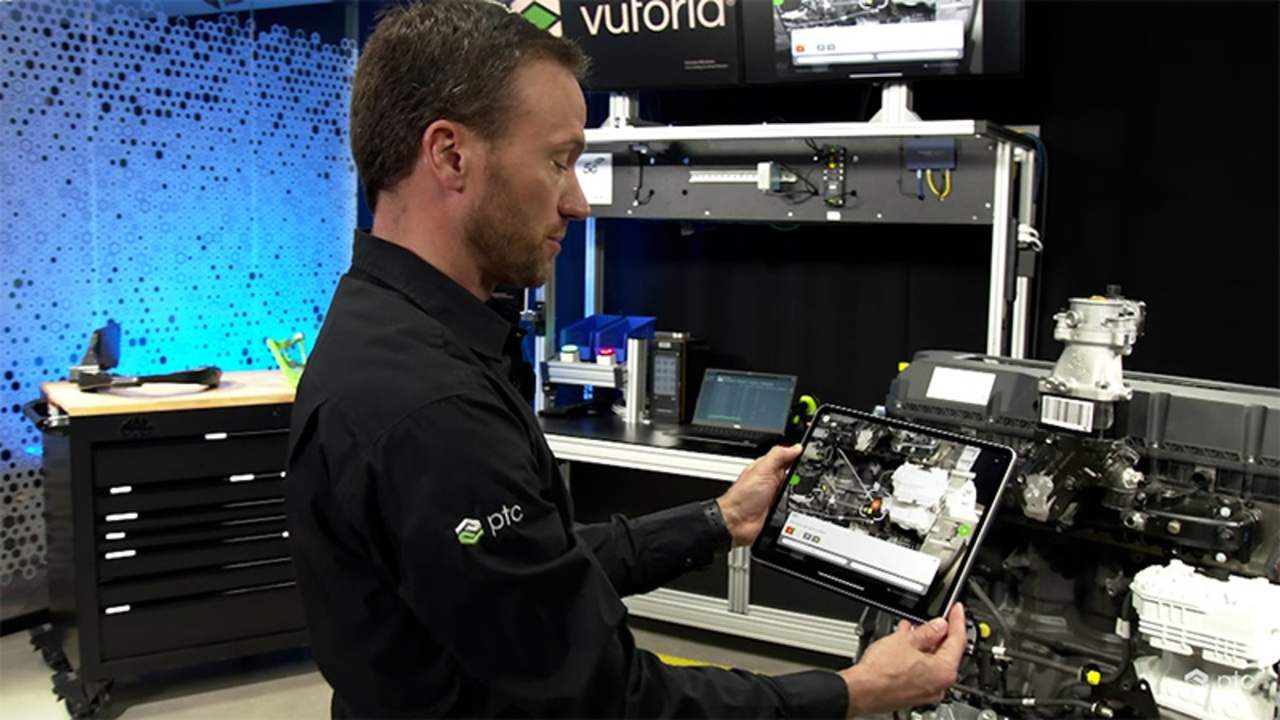
04:31 enable your engineers to track patterns to improve product design. Now let me show you how step check works in action. I'll be walking you through an end of line inspection on a truck engine. This inspection procedure was authored in Euphoria. Editor are simple to use web based environment where you can easily transform video captures two D images and text 3d CAD content A I trainings and more into a finished work instruction. Once published, you can then view them in the
05:02 Euphoria Vantage app which can be consumed on phones, tablets and a smart glasses. Let's take a look at the specific inspection procedure. When I open before advantage, I can see a list of the procedures I click on the one I want to enter. And I'm given a summary screen that shows the different steps and information about the procedure. When I click start session. I'm asked to enter a serial id.
05:33 This is the serial number of the machine that we're working on so that we can track it against this particular engine. I have two options here. I can enter the id on the keypad or I can scan a barcode on the machine. There we go. So now it knows which machine that I'm working on. So I'm gonna hit continue. And now we're going to use our A R technology to track against this particular machine. It found the engine and here's where we get into the inspection procedure.
06:07 So this is step one, it's asking me to check that the fuel pipe connector is tightly connected. An A R way finder is guiding me to the right location on the engine. Here's where you see step check come into play. It recognized that the fuel pipe connector is definitely tightly connected and it gives me that green check mark to know that we're all good. The artificial intelligence behind step check goes through a simple training process. An experienced technician can train the application on what a past state looks like and
06:40 what a failed state could look like. The more the application is used, the better it gets at identifying problems. Step two says check that the paint protection cap on the air compressor is correctly installed. As I get in closer here, you can see I'm getting a different result. This time A red X is telling me that something is wrong, but I don't know exactly what I'm supposed to do to fix the situation. But the procedure was authored with additional information that I can click on to see how this should be done with that information.
07:12 I now know what I need to fix. And you can see as I do that step check is telling me that now I have the step correct and that I can move on to the next step. Step three is saying, verify that the fuel pipe is plugged in correctly. So I'm gonna get in much closer here because as you can see, this step is much more intricate, you know, finer details. That subject is also recognizing by that red X telling me that this is incorrect.
07:44 Now, on this step, I know what to do. So I simply just need to fasten this all the way on. And as I do that, you see when it recognizes that. Yep, now we're in the right state and now we move on to the last step in the procedure and this is where it gets interesting because it's on the other side of the engine, the way Finder is guiding me around to the other side. As I get closer, it's even telling me what the correct angle is to look at where I need to be
08:15 focusing my attention for this step. Again, we see the step check red X telling me that there is an issue to find out more information. I'm going to look at the included images to help me out. I see here that this is the pin that I I'm supposed to be looking for and that's where it should be located. If I go back again and look at the machine now, I can definitely see that the pin is missing. Now, I don't know what to do to solve this problem. So I'm gonna mark this step as failed, but I'm going to provide additional information to
08:48 record why this step failed to do that. I click on this button here and now I have a couple of options. First, I'm going to take a photo so that I can record this situation. Hit the button there to take this picture. So I'm clearly documenting that the pin is missing, clicked on on that, that picture looks good. So I'm going to just add in a little comment to explain why I failed this this step. And I'm gonna say no pin found hit add
09:20 and again, marking this step has failed. I'm now done. I'm going to hit complete session now that we've completed the procedure. I get a summary review page that I can see all of the steps which ones I completed and which ones were marked as pass and fail after reviewing them and everything looks good. I can hit the submit button once the procedure is submitted, it saves information such as when it was completed, who did it and the serial number of the machine that was executed against. Now, let's go look at where all that information is saved and recorded before.
09:54 Insights is a web based application that allows you to track all of your procedures. And more importantly, all of the individual sessions executed against those procedures. When I go into insights, I can filter by the procedure that we just executed and you can see the session that we just completed is here at the top. So here it's telling me who completed which session when they did it, how long it took. And any of the information on the feedback that
10:27 that you saw us collect earlier. If I drill into this procedure, I can see all of the steps, all of the pass and fail information and all of the the pictures and text that I added for information on that failed step and why it failed. Now, I've got a complete history of all of the procedure executions that are happening at my company so that I can go in and see everything that's happened where all the problems are occurring and use this as valuable insights to improve my processes in manufacturing and
10:59 inspection. The manufacturing industry has made incredible technological advancements in the way products are designed and produced. The technology used to ensure the quality of those products should be just as advanced. Your front line workforce is the key to ensuring your business stays competitive. Enable them with the technology needed to do their jobs with euphoria and step check. Thank you so much for tuning in and learning about our latest product innovation. Step check that can help you achieve your digital transformation goals and differentiate
11:33 your business.