Creo and Ansys: LIXIL’s Journey
Download the slides here.
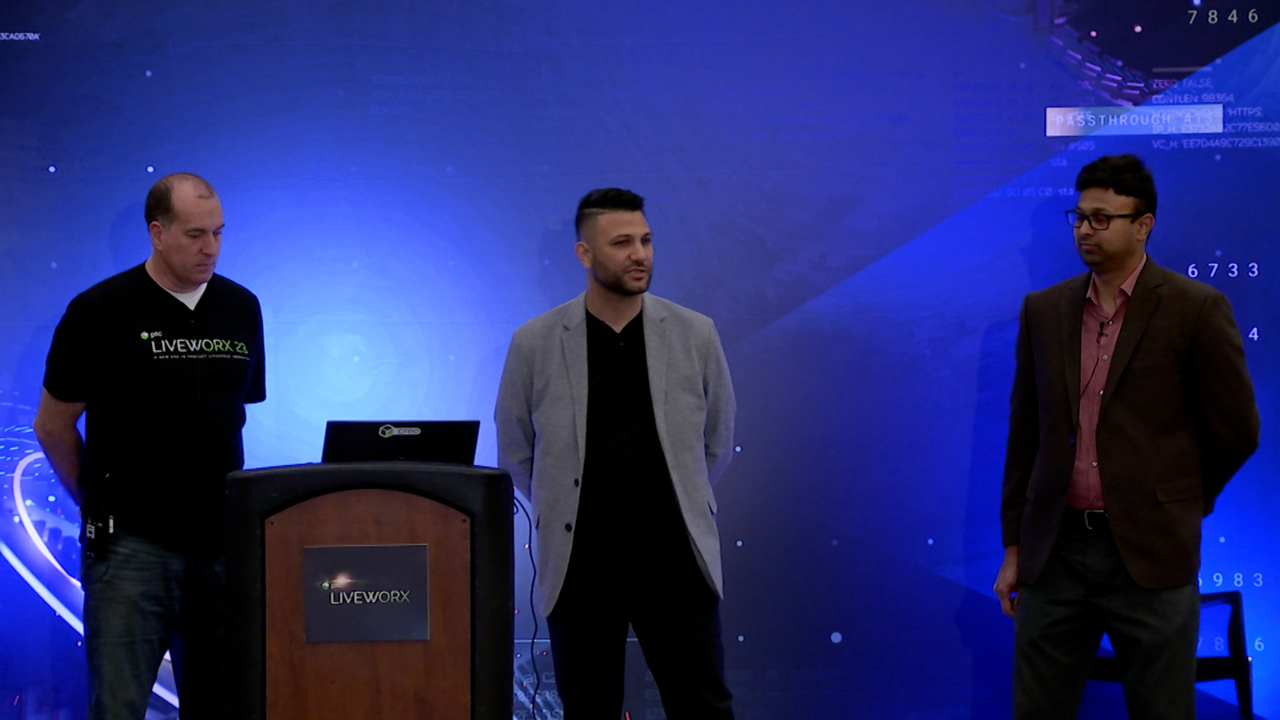
00:00 Thank you very much for being here. My name is Todd Kraft. I'm a product manager here at PTC. My responsibilities are the simulation products that PTC. If I haven't met you before, please stop me. And sometime today or tomorrow, I'll have to talk to you about our simulation products. So I'm going to have the other people on my panel here also introduce themselves from Lixil. Go ahead. I'm Anthony Esposito. I work for Lixil. Kitchen and Bath Company. We're a global company out of Japan, but I am the R&D leader for the Americas market for ceramic and bathing products.
00:34 Good morning, everybody. I'm Nitin Kolekar. I'm a leader of simulation. My responsibility includes developing simulation technology, both CFD as well as Fe and other tools for Lixil Americas. Perfect. Thank you. So. So today's session is Creo and Ansys Lexell's journey. And we're going to learn from a customer about how they have went on a journey to bring simulation to the left in their process and involved a lot more people and used the Ansys integration to do that.
01:07 So first I'll talk about the Ansys integration. For those of you that have seen the keynote on Tuesday, you know, we've seen the CEO from Ansys, AG and PTC Jim, you know, that's a very strategic partnership talking about how the two companies can really bring their products together and how we can bring the simulation, world class simulation of Ansys inside of Creo. And you'll see today from Lixil how they've done that. And really that best of class awesome simulation from Ansys is now really
01:38 available for for PTC customers to use every day to use during design and concept for their designs and get design and simulation driven design benefits. So for those of you that don't know how this works, so PTC we, we work with the Discovery team at Ansys and we work with them every day. And really the integration of how we've taken the technology from Ansys into PTC,
02:08 it starts with the Ansys core solvers, 50 plus years of technology, really the gold standard of solvers and all the Ansys products are built off of those solvers. So all their flagship mechanical, fluent CFX are built off those solvers. So that's really the foundation of, of the technology. And then also Ansys has these world class GPU solvers as well. Okay. The GPU based solvers. So take those two. Okay.
02:38 Then you add in the workflow, the meshing, the solution, automation, the rest of the Ansys kind of ecosystem. And they built on top of that architecture. They built this product called discovery. Okay, easy to use real time or also high fidelity simulation, and that's the product on the Ansys side, we just mirror that and make Creo simulation live and Creo Ansys using that same technology from Ansys. Okay, that's how we've done it and what we've done with that over
03:12 the past four revisions, starting with Creo six when we launched Creo Simulation Live. Really we started with just modal structure and fluids and more and thermal. I'm sorry. Creo seven we added fluids. Okay. Added a few more things and seven as well with with our base things we added with Creo six and then in Creo 702, that's when we started the high fidelity simulation with Creo Ansys. That's the first release. And then Creo eight and nine,
03:45 we just continue to add more functionality with steady state fluids, UI, user experience improvements. We have a special format just for PTC to export to Ansys mechanical and then Creo nine we added Multiphysics lattice geometry support contact Ansys. We did a lot of development around shell elements, inertia, relief and then Creo 10. We've added the advanced package of Creo Ansys so nonlinear contact materials
04:17 and Multiphysics and then also CSL. We did the biggest, probably one of the most important ones was we did improved contact detection. Okay. And we're going to continue this with Creo 11, 12, 13, and then the Creo Plus story will go in there as well as we start developing on that platform with the streaming platform. So we're going to continue to keep on adding more features. But really the goal is to put that that that technology right at the fingertips for designers to use. So that's the story of our relationship with Ansys at this point.
04:50 I'm going to hand it over to Anthony. He's going to talk about how he's done that with with Lixil. There you go. So I'll walk. Through the journey of Lixil and using Creo and Ansys partnered together and how we leverage that to speed up our product development. Before I get into that, just a little bit about our company. We were a global kitchen and bath company. We make products, as you see on the screen. Toilets, sinks, faucets, bathtubs, vanities.
05:21 And while we're you know, we're not using simulation for rocket science type things. We are using it for everyday products that all of us use. Right. So we're looking structurally. We're looking at flow simulations, air, water , multiphase, and really ensuring that we're building robust, repeatable, high quality products. So what I'll take you through is a little bit of how we used to operate leveraging simulation and where we are today,
05:54 using the tools at our disposal, right between Creo and Ansys. And we used to we used to do a traditional test approach of simulation and development. How we evolved. We'll get into a little bit of where we led simulation to be, our center of product development and the tools we use in some examples and what value that brings to us. So. Diving into that a little bit. We we historically have really been focused on subject matter experts.
06:27 We've had 1 or 2 CFD experts and everything ran through those experts, and it worked great for us. We got great products, products that really were best of class, but the development process was long, so we kind of took a step back and said, What makes this long? All right, we're taking the file out of Creo. We're leveraging Ansys full capabilities.
06:59 And. We're getting a lot of data, but every time we have an iteration, it's out of Creo into Ansys, out of Creo into Ansys, and we step back and and a few years back I was here at LiveWorx and saw the partnership of Creo and Ansys, and it just, you know, got me thinking of how do we how do we limit this out of Creo into Ansys? We still need it. It's highly important to us, but how can we speed this up? So we started really brainstorming on how do we go from design prototype,
07:33 some simulation in between to validate in simulation and then eventually get to a final product, that whole hand over waterfall effect type type simulation approach and really center ourselves around a simulation centered design process. And really what what helped us take that step was leveraging the Ansys tools that are embedded within Creo. So today we we've switched our our approach. We are now designing.
08:08 Within Creo and leveraging those tools and giving the power and capabilities to our designers. And they're able to quickly see what is happening, leveraging the, the structural analysis or or the CFD analysis to make quick decisions. So we're no longer getting to a point and saying, I think I'm good, but I need to hand it off to our subject matter expert. Run a simulation and see the results. That takes days.
08:39 You know, by the time you you, you set up the meeting, you you review the data, you, you know, communicate what you're trying to accomplish. You have to get the file in the right. Um, you know, set up for, for, for the ancestor software. You have to go through the whole process. We're talking days. So now we can see some of these design directions, I'll call them in minutes. And that has been very powerful for us. And our goal is to leverage that for maybe 80% of the way, right?
09:14 If you can get to a minimum of 80% of the way using the Creo tools at your disposal, you're going to save a lot of time. So we do a lot of design, simulate design, simulate, design, simulate, and we capture a lot of data and we're able to make a lot of decisions and we're able to make our products a lot better before we ever commit to a tool. Then we get into prototyping. And what we've what we've switched was the time we spend on prototyping and validation has reduced compared to the previous,
09:47 where we would spend a lot of time on prototyping and a little bit less time on simulation because simulation was almost a validation of the prototyping and testing. So we've switched that and we're able to probably get ten times the amount of data through simulation because you know, you can get if it's set up properly, you can get a lot of valuable data there, which is really driving your design direction. So one of the things that also helped us within this approach of how do we stop
10:21 taking the file out of Creo and really be to get speed to market is leverage that 3D file as much as you can without taking it out of Creo. And you know, here at Lixil, we do that in all of these five buckets from industrial design where our designers are telling us, here's what it needs to look like, here's the user interface over to the R&D and technical design through simulation tool design and CNC. So we were able to really leverage that file. And again, the goal is try not to take it out of Creo as much as we can and
10:55 the pairing of Creo and Ansys together as a as a as a partnership has allowed us to kind of fulfill that bucket. And again, we do take it out of Creo, but we do that strategically. We get there to a certain percent of confidence level and we either say we're good to go or this is , you know, we we need more data. It's a higher complexity. We really need our subject matter expert to to to to run this fully in antis. However, it's reduced the amount of iterations and it's reduced the time of
11:27 the total cycle to to really develop a product. The other benefit of switching to this approach has has really been one to to subject matter experts. Always using simulation has now expanded to us having approximately 25 engineers running simulation at our headquarters in the Americas. So we've put simulation and embedded simulation as part of our core tool within our design process. And each simulation engineer or each design engineer has
12:00 a simulation capability to really drive quicker decisions, get their eyes on it and make design decisions that eventually make a better product. What that's allowed us to do then is take our simulation experts and really focus on the higher complexity, focus on innovation, innovation within the tool advances so that we can solve, you know, different things that we want our users experiences or code constraints that we can simulate up front to ensure our products can meet them
12:31 and and generate a good user experience or also solve for and generate new innovation from a product perspective. This slide is beautiful. What did those 25 people have anything to do with simulation before? You know, did you take this whole group of people and now that they didn't really they weren't involved, but now you've enabled them to be involved? What did they have any involvement before? So prior to working on simulation, everyone comes out of school and say,
13:02 I know simulation, right? And then you ask them, they're like, Well, I took one course in college. The reality is you got a little bit of an overview of what of what simulation is, but they really don't know. Simulation as you dive. If anybody knows simulation, it's complicated, right? However, the tools within Creo with short tutorials and and knitting and his team who are the leaders of CI overseeing quickly are getting those 20 engineers up to speed and leveraging the software to really have confidence
13:36 because you need to have confidence. If not, you can you can go in the wrong direction, but we're able to still have hey, we have 25 engineers, but his team will oversee it and really get that team leveraging the software very quickly. Perfect. Thank you. So I think next we'll we'll I'll have join me here on stage and he'll walk us through what are the tools we use at Lixil and how we use them and some examples. Thank you. So, so far. We talked about our simulation driven design approach
14:10 and model based design. So let's look at some of the tools that we use, some of the Creo Ansys tools we use here at Lixil. So I'll start first with Creo Simulation Live. So it's an instant results for analysis. It's based on Ansys Discovery live platform and you are still using Creo graphical user interface. So user has ability to see what visual he used to,
14:40 but then he can modify geometry on the go and the see results right there. It's mainly for static structural thermal and modal simulation. The next tool that we have is Creo Ansys simulation, which is a little more advanced. That's where you have more control on the mesh, more control on the boundary conditions, the way the contacts are interacting. And the first tool we use to get design direction. And once as Anthony said, we are like 70 to 80% there.
15:10 We use the second tool to get more high fidelity accurate data in the later stage of design, and it runs on Ansys legacy solver. So it has higher accuracy. And what they have done is the simulation setup is automatic, the mesh setup is automatic. You have control on the mesh, you can refine the mesh where you need to see, where you see higher stress levels, strain levels. You can do all that and you get more realistic results.
15:42 I have an example later to show where we have results from both live as well as Ansys simulation. The next tool that we use is for CFD analysis. It's Creo Simulation Live plus it's again based on Ansys Discovery live platform. You're using Creo's graphical user interface and it gives results instantaneously for our application. It had some limitation. We'll look at that in the next slide.
16:14 And our core focus, and that's the tool that we use in the later stage of design where we validate our results. Is Ansys Mechanical and Ansys fluent or CFX for CFD analysis? And the use case scenario is like where we want to capture complete physics, we want to mimic our test setup in Ansys in simulation. That's where we go for this type of analysis where we want high fidelity results, accurate results. A lot of our CFD simulations are multiphase.
16:48 We have air and water. Being a plumbing company, most of our products use water and essential to have air in the simulation to capture that free surface and how air affects water In case of fire. We use Ansys mechanical where we want to capture non-linearity, whether it's geometric, whether it's material properties, whether it's a moving contact, where you have frictional contact between different different parts in an assembly.
17:20 We also use this for multiphysics problems where we want to couple structural and fluid solver where they are two way interaction, where they are talking to each other. Fluid deforms the the structural part and then that structural parts deformation inherently affects fluid flow something like wind turbines blades and in our application, if you open your toilet tank you will see a flapper. And when the flapper opens, it goes a deformation.
17:52 And that affects the way water goes in the toilet. And we can we work on those kind of simulations, we develop those in Ansys, other things we do in Ansys fluent. It's topology optimization and design exploration. So we go to Ansys. During our later stage of design, we do validation and with our testing and want more accuracy. So let's look at some of the examples. The first one is with Creo Simulation Live.
18:25 Again, this is for based on Discovery live, and here we have a shower base and what we are doing is a torque test. So the application is like you have shower base in your bathroom, you walk in and that exerts force on the shower shower base. And we are looking at an ACM test where we apply load on the drain line as you see on the on the right. And this was done in Creo simulation live
18:56 and we were able to get instantaneous results. This gives us a very good design direction. The magnitude wise it was not very accurate but we. Are able to figure out what the weakest points in the design and modify the geometry right there in Creo and do design iterations. Next one is another example of Creo simulation live. This is a mixing valve. It was part of our cost improvement project where we wanted to go from brass to plastic, so we did it again in Simulation Live.
19:28 And as you can see, we were able to identify the weakest points in our design and the upper right. We see a test fixture and we were able to verify that that's the failure point when we did actual actual testing. On the next slide we did same analysis in Creo. Ansys. So Creo Ansys uses Ansys mechanical in the background full, full solver and results in this case were very close to what we saw.
20:02 The stress values were very close to what we saw in the testing. The failure point was at the same place. Stress values were near the rupture point and this was done in the later stage of design. So we did a few iterations in the Creo live and then we went to Creo, Ansys and we did our final design and we're able to do this quickly. This is a little more involved than the Creo live. Here you have more control, you can get better results
20:34 and IT solver is essentially another important part. It uses Ansys core solver for the analysis. Next example I have is Creo Simulation live plus it runs Discovery live in the background and our application involves air and water. As I said earlier, the actual toilet would have a toilet tank and then you have a bowl and trap way. And then my initial condition is like I defined water level in the tank,
21:07 water level in the bowl, in the trap way. So adds Simulation Live Plus didn't have that multi phase capability. We had to come up with a strategy to run this simulation. So what we did is we defined inlet flow rate at the inlet where water enters right here. So average value of flow rate, which essentially this is a transient simulation. But here we had to define inlet flow rate and the flow domain can be either air
21:41 or water cannot be both. But through the simulation, we were able to see what happens in the trap way, how the flow goes in the trap. So it gave some design direction but not what we expected. So we looked at all the examples. We talked about model based design, simulation driven design, and what do we get out of it? What's the value to us? First and foremost is it saves a lot of time. So it saves a number of iterations.
22:13 So earlier we used to go from Creo to Ansys do modification, go back to Creo to Ansys, a lot of downtime, as Anthony mentioned. So we are we are reducing a lot of that software transfers and data transfer along with software. We from that we did the next step where we would modify the geometry in Spaceclaim. So Ansys has a direct solver where you can modify the geometry, return the mesh, run the meshing and solve it again. But we would do those iterations and at the end you would have
22:47 a geometry in step file and then we'll have to go back in Creo and replicate that. And then to bring that geometry back in Ansys to make that the changes that you did, those are correct. So a lot of downtime and these tools enabled us to reduce that downtime, increase our speed to market. Another thing these these tools are helping us is our designers are getting better insight into design thinking.
23:18 So our products, the design as it starts, we are improving our product quality as a lot of iterations are done in the Creo itself. Before it comes to the group, we are able to focus more on new innovations, new simulations involving FSI and other Multi-physics simulation that we talked about, and it gives real time results and and that has enabled our designer
23:50 a lot. Yeah. I think that's one of the biggest benefits, being able to see your product instantly and being able to put a solution to it instantly and increasing that capabilities from 2 to 25 has really been a game changer for us at Lixil, IT simulation has become really a core process for us or a core core element of our design process, and that has really paid dividends for us.
24:21 It's really allowed us to build more high quality products. And while we do spend more time now on the simulation phase, our total time has reduced because once we get out of simulation and into our product, we're not troubleshooting as much anymore. We're looking at the product and we're looking at our manufacturing process and what we can do within manufacturing at the simulation phase. So we're building the product to be able to not only perform in the nominal state, but also within our manufacturing capabilities so that once we get into manufacturing,
24:51 we can really hit the ground running and ensure that we have a good performing product and allowing us to do that excuse me, from 2 to 25 people and making sure that every engineer is is thinking in a simulation based approach has has really paid dividends for us. Does anybody have any questions for anyone up here? If you can, can you approach the microphone and then ask your question, please? Thank you. Prateek here with Polaris. Thanks for the presentation.
25:22 A couple of quick questions. What sort of hardware config are you running from a GPU standpoint? That's where the accuracy is really important. What version of Creo are you on right now? And I'm also looking for like a metric. How do you calculate your acceleration or efficiency in the process? Yeah, I'll take. That. So for so we have different setups, right? So our CAD team, which uses Creo Ansys so we have eight gig or 16 gig based
25:55 on what you do, 16 GB Ram and Nvidia series, Quadro Quadro series computers and I know where are you coming from? So based on what GPU? You have, your results could be very different. I was in a training session yesterday and everybody in the class was having different results compared to what the instructor was and he was running on his local laptop and we were running in the cloud. So everything is same, but the results were different. Yeah.
26:26 Okay. Yeah. And I think we're, we're currently running Creo seven right now. We have plans and we know Creo nine has a lot of updates. We're strategically waiting for Creo 10 because of some other updates that we've worked with PTC for our business to, to improve. So we're hoping in the fall to go to Creo 10 and capitalize on not only the the added value that comes with simulation, but some other some other features, but when it comes to realizing the value.
26:56 Assimilation, right? We've done a lot. We spent a lot of time benchmarking. We've done a lot of analysis between Creo Live and the tools within Ansys and Creo versus our our actual Ansys capabilities and spent that time benchmarking, benchmarking to really show we have the confidence in these tools. And again, it's a little hard to say because at the same time we've also switched to more simulation. The more simulation we do, the more data. So what we're realizing actually is we're spending a lot more time in
27:28 the simulation phase. So we've gone from maybe 2 to 3 months of simulation to maybe four months of simulation, but our total time is probably reduced by 2 to 3 months in totality, right? And we're on a 12 to 15 month launch cycle of our products, right? So to take 2 to 3 months out and do that with a high quality product is, for us, successful. Got it. Thank you. Absolutely. Yeah. One more. Anybody else? One more. One more hand. Okay.
28:02 Yeah. Could you go back to slide 11, please? Is this order from. From CSL to Creo, Ansys to CSL plus, then all the way to workbench. Is that really is that the know an idealization for Lixil or is that from the PTC point of view, is that your good, better, best? I might move the simulation plus or advanced over switch that with the Creo Ansys one maybe. Okay. So it kind of do the live solver, then the high fidelity, then the.
28:32 Then the ancestor. Okay. So this is more. Yeah, more for for lixil process. They want to get into the Ansys simulation earlier just with what they're doing. Great. Thank you. Exactly. And even just for simulation live plus for our specific use case. And I'll add Todd. Right once once Ansys gets a multiphase, right, Maybe that switches because that's where we see a lot, a lot of value and we're looking at other solutions for that within Creo. But for us today, Creo Simulation Live Plus is a little bit of a strategic use case
29:04 because we can't do that multiphase, so we don't get the true benefit that we would like to because, you know, the the solution is not there yet, but that's specifically to lixil. Understood. Thank you very much. Absolutely. Okay. I think we're at that moment. So thank you very much for attending. And if you have any more questions, please catch us up in the hall. Anthony and knitting are around all week along with other nixle people so people and thank you very much. Thank you. Thank you.