Article - CS282613
Windchill PDMLink: Attempting to open a Windchill Representation in Creo View fails in Internet Explorer with the error "The webpage cannot be opened"
Modified: 01-May-2023
Applies To
- Windchill PDMLink 11.0 to 11.1
- Internet Explorer
- Mozilla Firefox
- Google Chrome
Description
- About the behavior when thumbnail is clicked from browser without installing Creo View client in Windchill PDMLink.
- Attempting to open a Windchill Representation in Creo View fails in Internet Explorer with the error "The webpage cannot be opened"
- Internet Explorer
- The page will switch automatically and the following message will be displayed:
The webpage cannot be displayed Most likely cause:
- Some content or files on this webpage require a program that you don't have installed. - For example:
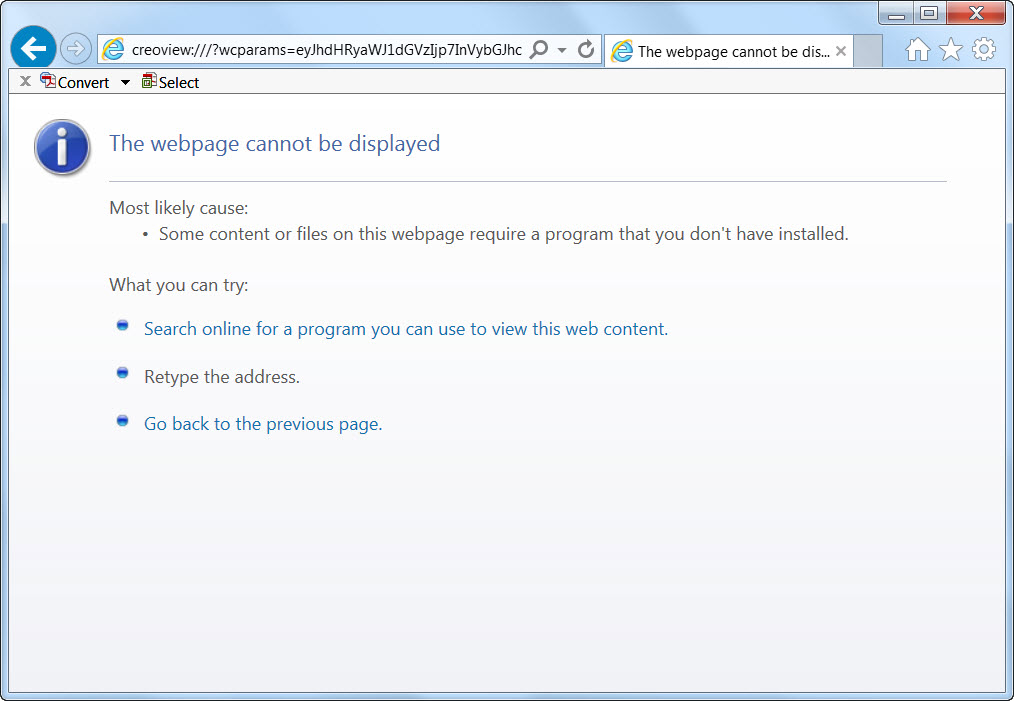
- The page will switch automatically and the following message will be displayed:
- Firefox
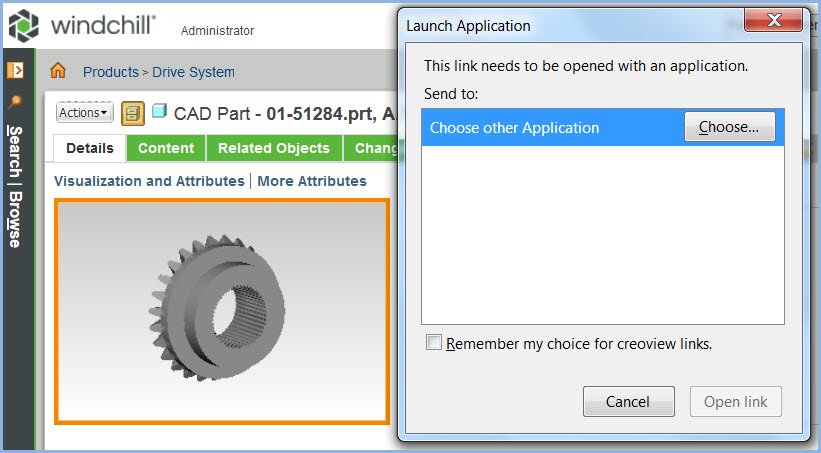
- If Creo View is not installed, a dialogue is displayed, indicating:
Launch Application This link needs to be opened with an application.
Send to:Choose other Application - For example:
- Note: When Creo View is installed, you will also see the following entry for launching the Creo View Agent on the client machine:
Creo(R) View - launch_pvagent.exe
- If Creo View is not installed, a dialogue is displayed, indicating:
- Google Chrome
- Nothing is displayed when Creo View is not installed
- Internet Explorer
This is a printer-friendly version of Article 282613 and may be out of date. For the latest version click CS282613