Article - CS174429
Import or Generate data with check in option selected fails during upload when the object has a large attachment >2GB. Upload also fails if a >2GB file is attached via "Edit attachment"
Modified: 12-Jun-2014
Applies To
- Windchill Solutions 10.1 M030
- Windchill Workgroup Manager
- ECAD
Description
- Attempting to Import or Generate Data with the Check In option selected and where attachment file size is large (>2GB) results in an upload failure:
Upload Failed: <Model>. See the Event Management console for details.
Generate data operation has failed
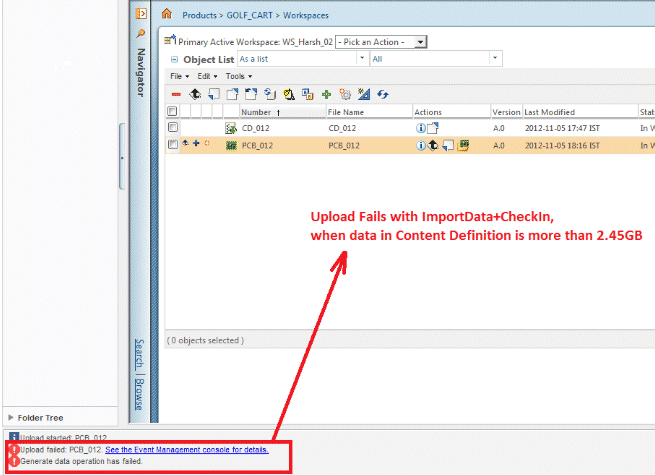
Generate data operation has failed
- Upload fails if the attachment file size is >2GB
This is a printer-friendly version of Article 174429 and may be out of date. For the latest version click CS174429