技术文章 - CS138537
如果在布局中使用了隐藏属性,则在 Windchill PDMLink 的 a.x 中不能正确显示。
已修改: 08-Aug-2013
适用于
Windchill PDMLink 10.x All date codes说明
- 在布局中使用隐藏属性时显示不正确
- 对于栅格布局,隐藏属性的标签位置 & 值应留空(空白)
1)以站点管理员身份登录到 Windchill。
2) Navigate 到 Site> Utilities> Type and attribute manager
3)为 WTPart 创建新的可变类型
4)通过导航至创建可变属性 Attribute选项卡 > New Attribute向导
5)使 Attribute通过的特定屏幕类型隐藏 Visibility选项 卡
以下是使属性隐藏的布局:
Edit, Info Page-Full Attribute list, Info page- Primary Attributes
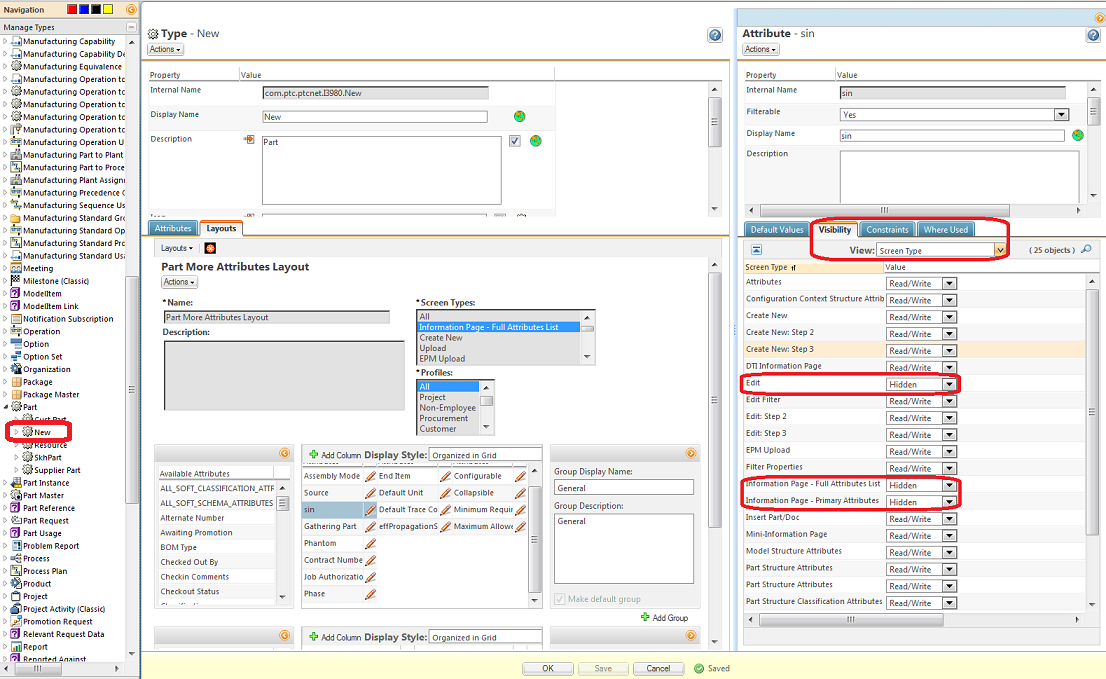
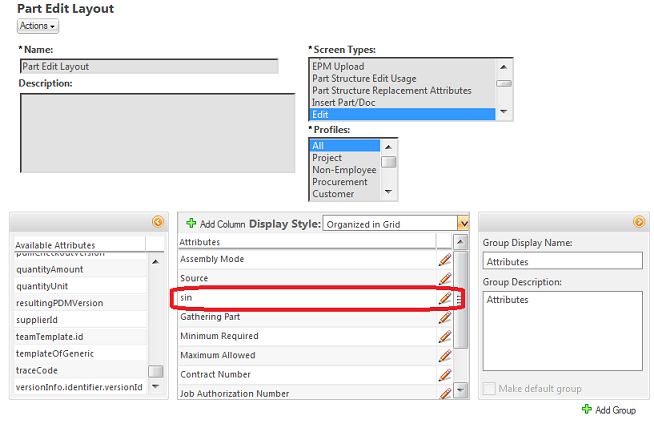
添加 Attribute到各自的布局,并查看屏幕类型上的结果。
对于编辑屏幕中的实例:
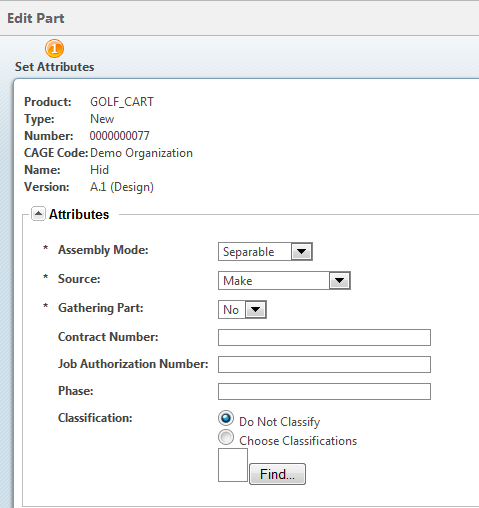
Result on Edit User Interface:
属性在此处隐藏,但其余属性会向上移动以获取隐藏属性的位置
这是文章 138537 的 PDF 版本,可能已过期。最新版本 CS138537