Article - CS184000
The Windchill server shows as offline in the Windchill Workgroup Manager embedded browser even though it is available and can be accessed from a standalone browser
Modified: 13-Mar-2023
Applies To
- Windchill PDMLink 10.2 F000 to 12.0
- Windchill ProjectLink 10.2 F000 to 12.0
- Windchill Workgroup Manager
- Interaction with 3rd party CAD Clients
Description
- Attempting to bring the Windchill Workgroup Manager back online with the Windchill server fails if one switches between active Workspaces in Server Management while offline:
Server is unavailable at this time
The contents of this folder are not available.
Folder cannot be displayed.
The contents of this folder are not available.
Issue in <activating/deactivating> Workspace.

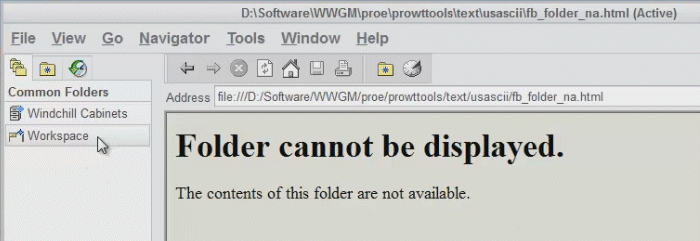


The contents of this folder are not available.
Folder cannot be displayed.
The contents of this folder are not available.
Issue in <activating/deactivating> Workspace.
This is a printer-friendly version of Article 184000 and may be out of date. For the latest version click CS184000