Installing Pro/ENGINEER Wildfire
Pro/ENGINEER - Command Configuration
1. Select “Add” or “Edit” from the Command Configuration screen.
2. Fill-in the fields on the dialog box.
| Note: |
| License Simplification must be implemented to enable License Extensions. |
- Optionally, specify the Floating Options to acquire automatically at startup.
- You must specify values for other applications you want Pro/E Wildfire to interact with.
3. Repeat for each unique startup command desired.
| Note: |
| If multiple licenses are specified for a command, they will be acquired in the order listed. |
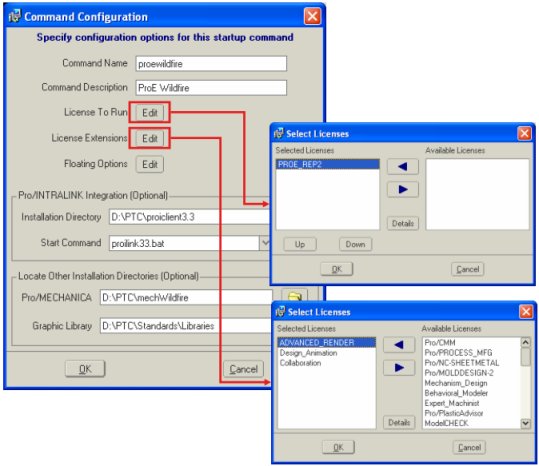
Command Configuration Dialogs |
|




