Page 10 of 17

Installing Pro/ENGINEER Wildfire

FLEXlm - PTC License Server

Use the "Next" button to proceed through each numbered step:

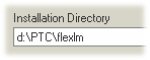
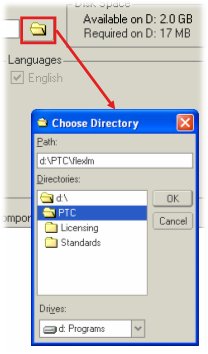
1. Specify the installation directory for FLEXlm by either:

a) entering a full path

b) using the folder browser

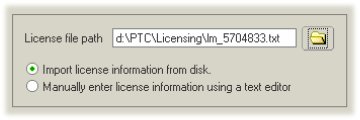
2. Import the license file received via email. Do not attempt to manually enter this information.

Note:
The installation utility validates the license file. If errors exist, PTC.Setup will open the license editor and require that you correct the problem before proceeding.

3. Accept defauts for all remaining screens, and begin installing files.

4. Next, verify that "FLEXlm Server for PTC" is available.

  • Open a new command prompt
  • Type ptcstatus
  • Confirm the license server and available products

Note:

The license server should start automatically. A FLEXlm server MUST be available before installing Pro/ENGINEER. PTC.Setup will not allow you to configure commands without access to vaild licenses!

Please contact Technical Support at 1-800-477-6435 if you need assistance.


Click here to go to the next page...