| Aufgabe 4-1. Öffnen Sie die Baugruppe ENGINE_COMPLETE.ASM. |
- Klicken Sie auf
 Ordner-Browser (Folder Browser) und anschließend auf den Ordner ProE_models. Ordner-Browser (Folder Browser) und anschließend auf den Ordner ProE_models.
- Wählen Sie im Browser die Baugruppe ENGINE_COMPLETE.ASM, und klicken Sie anschließend auf
 Datei in Pro/E öffnen (Open file in Pro/E). Datei in Pro/E öffnen (Open file in Pro/E).
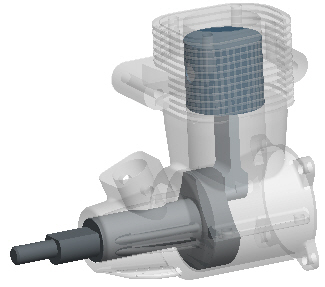
ENGINE_COMPLETE.ASM | |


 Zurück
 Weiter