
The New Look of Pro/ENGINEER
Since its inception more than 15 years ago, Pro/ENGINEER has had a definitive look with a distinctive sky blue background. The new Pro/ENGINEER Wildfire presents a new, subtle and subdued look that makes your models and designs literally come to life.
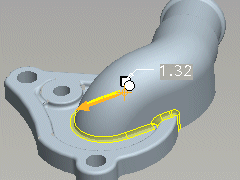
| Geometry and Background Color The rationale behind the new Direct Modeling is to use the graphics area for interacting with the model. Our goal was to make the most important element in Pro/ENGINEER — your model — jump off the screen. Creating this effect required just the right balance among the background, the model and geometry color. |
||
|
||
| New Icons and Buttons The consolidation of feature sets in the new Pro/ENGINEER prompted PTC engineers to create a new set of feature icons that are simpler to work with and perfectly complement the softer, brighter look of Windows XP. At the same time, we increased the range of colors in the interface palette from 16 to 100, and used consistent colors within sets of features that are more familiar to users. |
||
|
||

